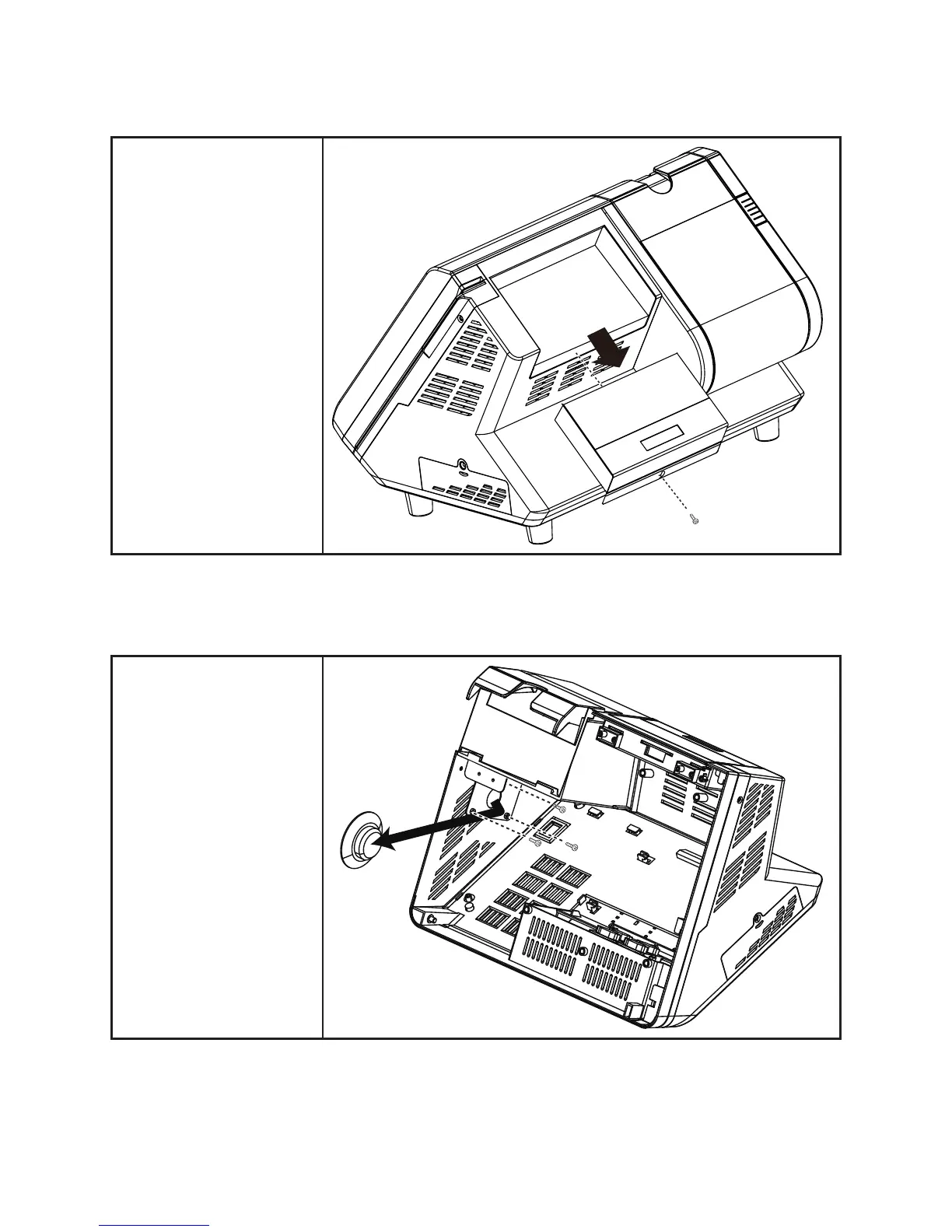
Customer Display
Remove the screw.1.
Disconnect the cables 2.
from the mainboard.
Slide out the customer 3.
display.
Speaker
Before proceeding, remove
the following FRUs.
“Front Panel” on page 55.•
“Mainboard” on page 56.•
Disconnect the cables on 1.
the mainboard.
Remove the three screws 2.
from the speaker bracket.
Remove the speaker.3.



 To Next Page