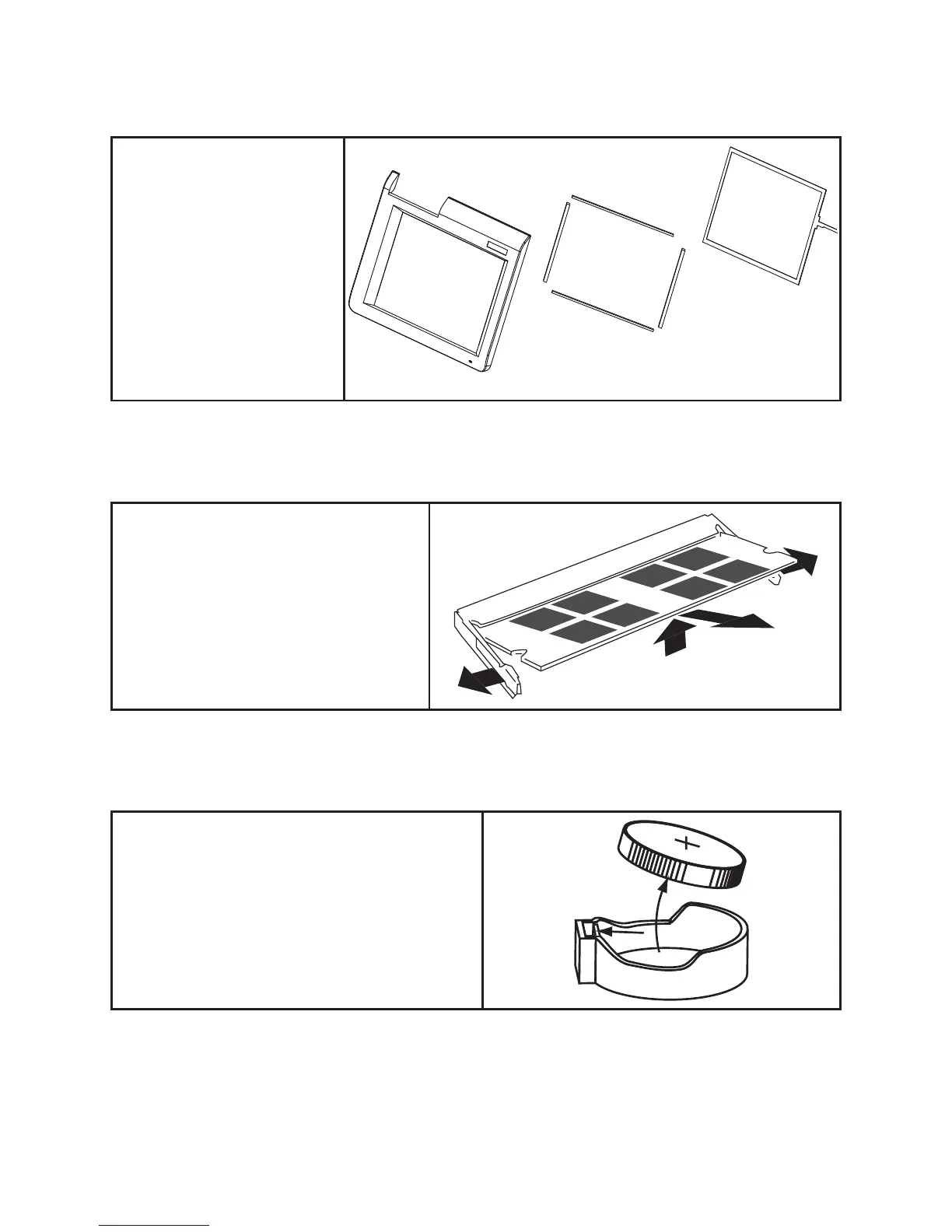
Touch Panel
Before proceeding, remove the
following FRUs.
“Front Panel” on page 55.•
“LCD Panel” on page 60.•
Remove the touch panel.1.
Remove the 4 waterproof 2.
sticks.
Memory
Before proceeding, remove the following
FRUs.
“Front Panel” on page 55.•
Pop out the two silver latches holding the 1.
memory module into place. The module
pops up.
Grasp the outer edges of the memory 2.
module with thumb and forenger, and
then gently remove it.
Battery
Before proceeding, remove the following FRUs.
“Front Panel” on page 55.•
Open the hock.1.
Pull out the battery.2.



 To Next Page