24 C H A P T E R 2 B I O S S E T U P
Security Settings
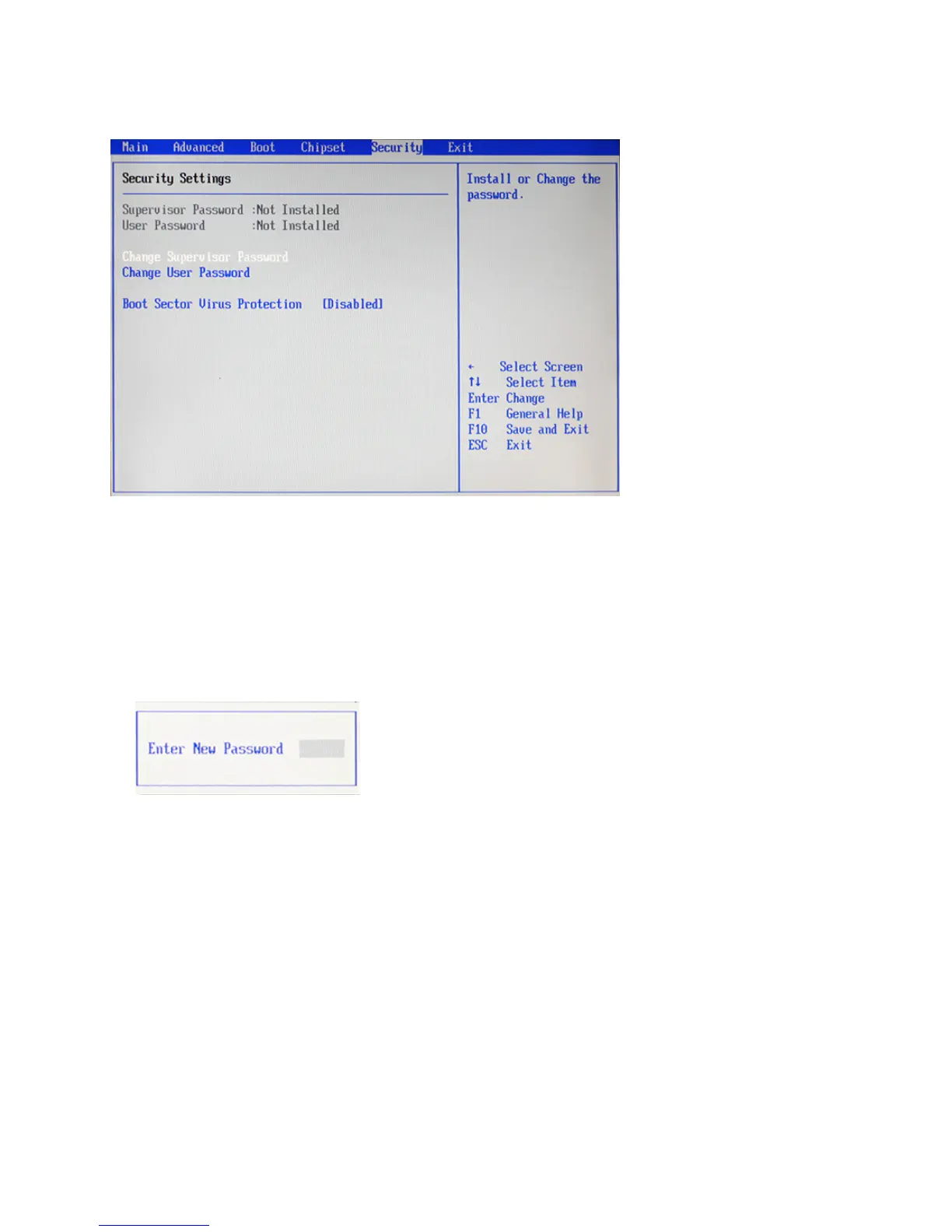
This screen allows you to congure the system security settings.
Figure 2.18 Security
Settings screen
Supervisor/ User Password
Indicates whether a supervisor/ user password has been set. If the password has been installed, Installed
displays. If not, Not Installed displays.
Change Supervisor/ User Password
These items can be used to install a password. A Supervisor password takes precedence over a User password,
and the Supervisor can limit the activities of a User. To install a password, follow these steps:
1. Highlight the item Set Supervisor/ User Password on the Security menu and press <Enter>.
2. The password dialog box appears.
3. If you are installing a new password, type in the password. You can type up to eight alphanumeric charac-
ters. Symbols are ignored. The Set Supervisor/ User Password item differentiates between upper and lower
case characters. Press <Enter> after you have typed in the password. To conrm the password, type the
password again and press <Enter>. To clear the password, leave the dialog box blank, press <Enter>, when
the conrm box appears, press <Enter> again.
4. Write the passwords down and keep them in a safe place.
Boot Sector Virus Protection
When Enabled, the message will appear when a write is attempted to the boot sector.



 To Next Page