54 C H A P T E R 5 R E P L A C I N G F I E L D R E P L A C E A B L E U N I T S ( F R U s )
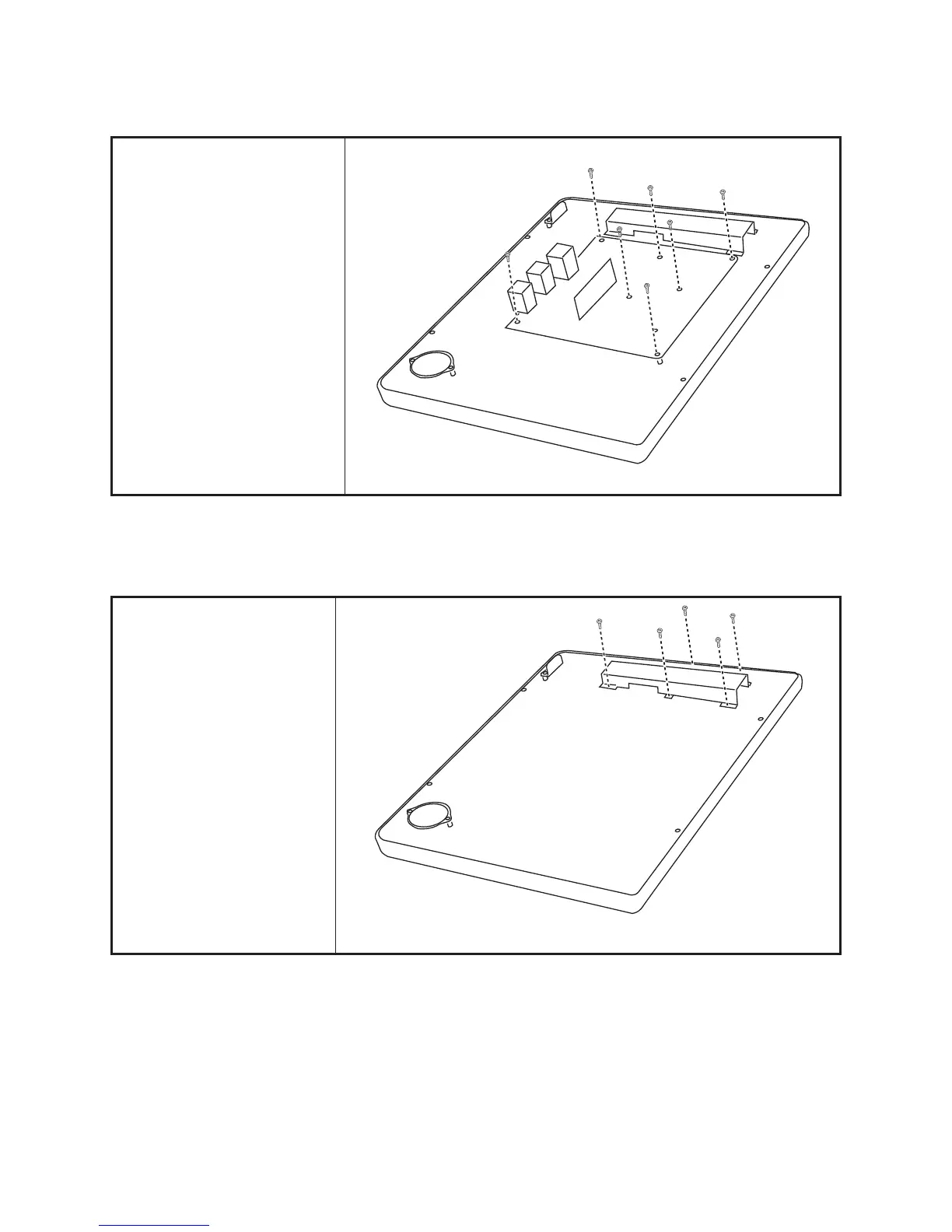
Mainboard
Before proceeding, remove the
following FRUs.
• “Back Cover” on page 50.
• “COM4 port and PS/2 port”
on page 52.
• “I/O Shield” on page 52.
1. Disconnect all cables from
the mainboard.
2. Remove eight screws.
3. Remove the mainboard.
Inverter
Before proceeding, remove the
following FRUs.
• “Back Cover” on page 50.
1. Remove ve screws.
2. Remove the inverter cover.



 To Next Page