20
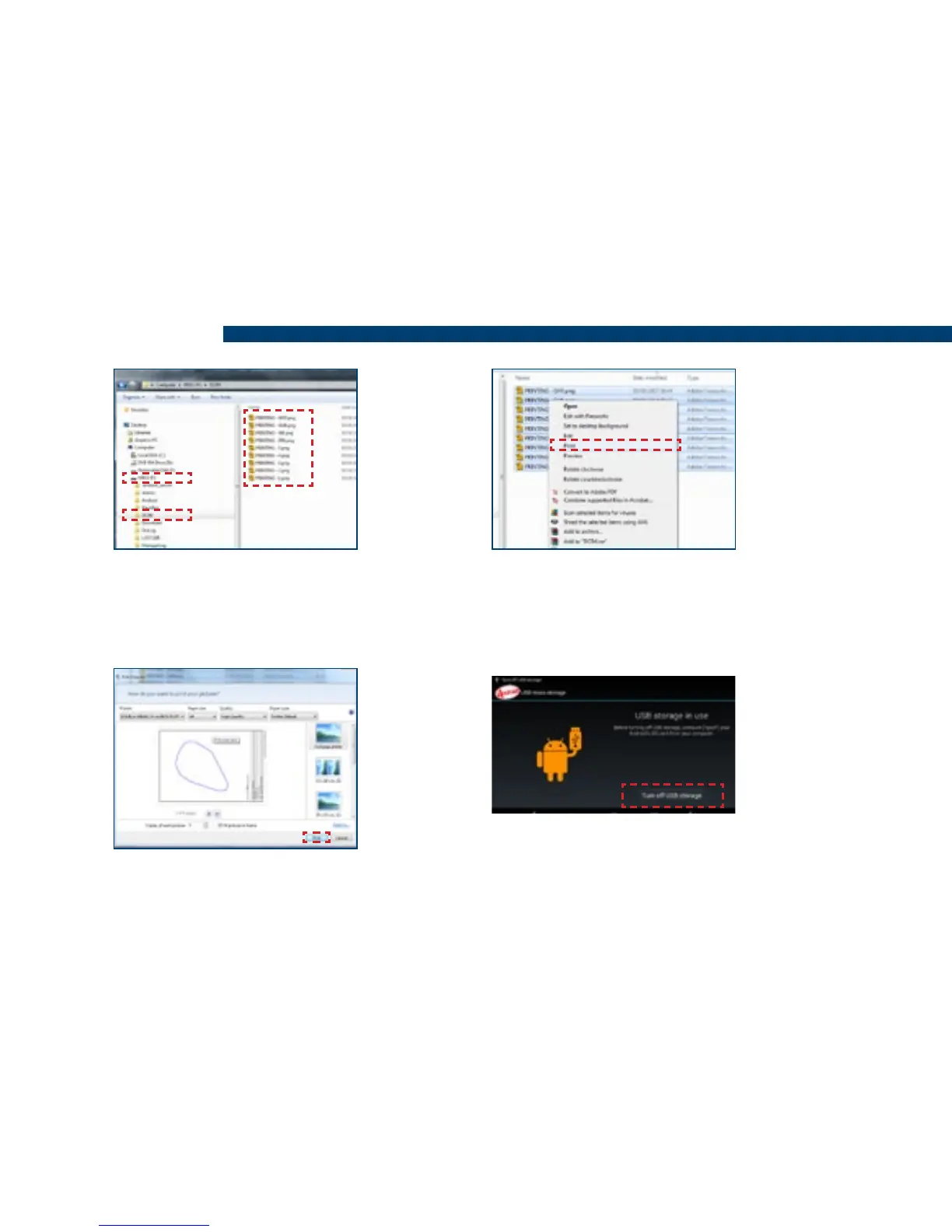
8) Locate the folder labelled ‘DCIM’
and open it. All the boundaries that
are printable will be stored here.
9) To print the boundaries, right mouse
click on the le or select multiple les and
right click one of them and from the drop
down menu click Print.
11) Once the required boundaries have
been printed, on the Tablet press ‘Turn
off USB storage’ and disconnect the USB
cable from the PC.
10) Choose your printing preferences
and click Print.
Air+ Features


 To Next Page