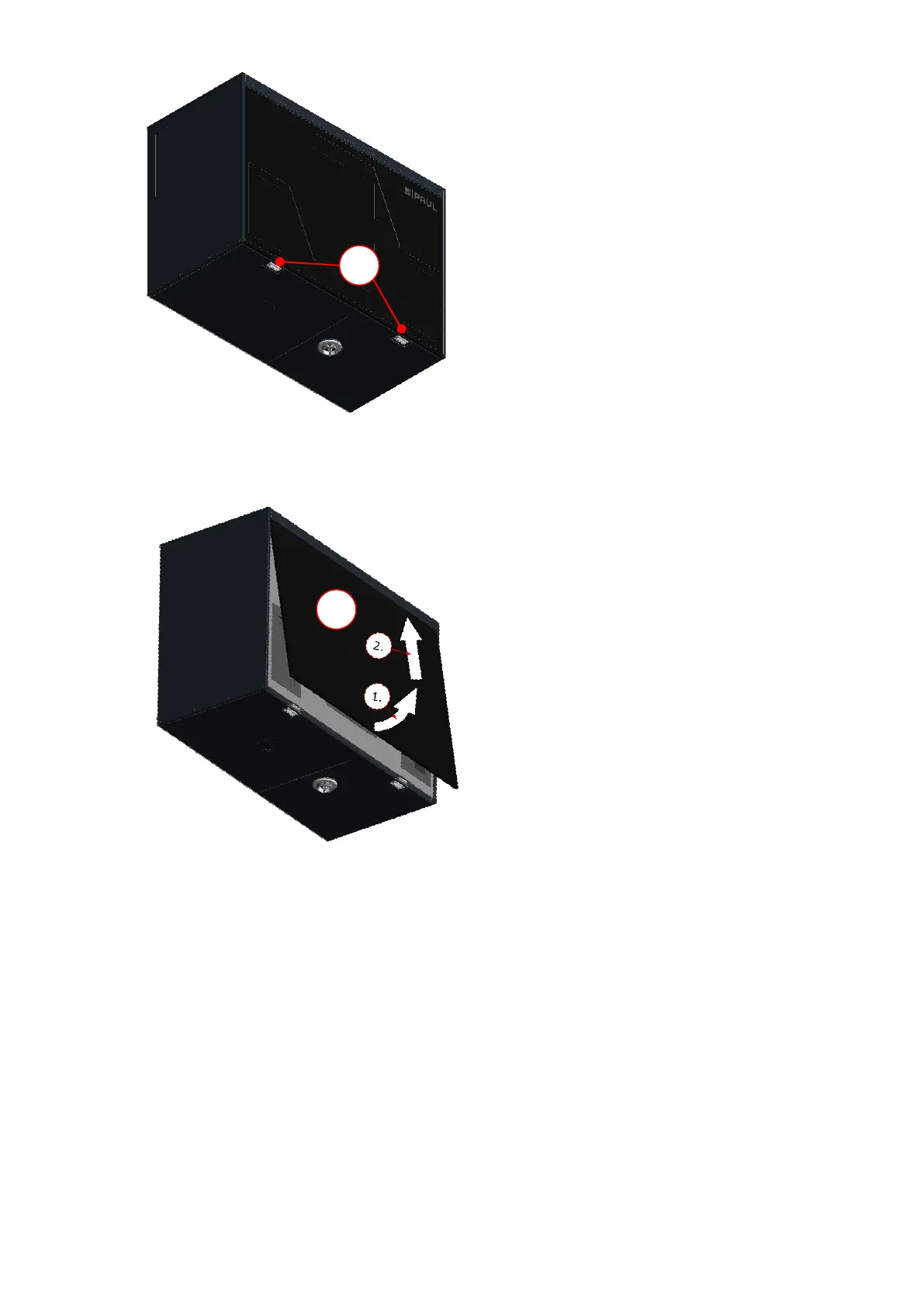
Fig. 9: Pressing the snap fasteners
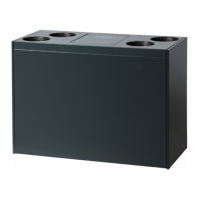
3. Remove the front panel B gradually as indicated by the arrows. To do this, open the front panel in the snap
fastener area at an angle of no more than 15° and unhook it from the lock seam of the housing.
Fig. 10: Opening the front panel
4. Use strap C to pull the EPP foam cover D for the filters and heat exchanger out of the EPP housing. To do
this, grip the strap at one end and pull while using your other hand to support the unit.


 To Next Page