v1.0 | 33
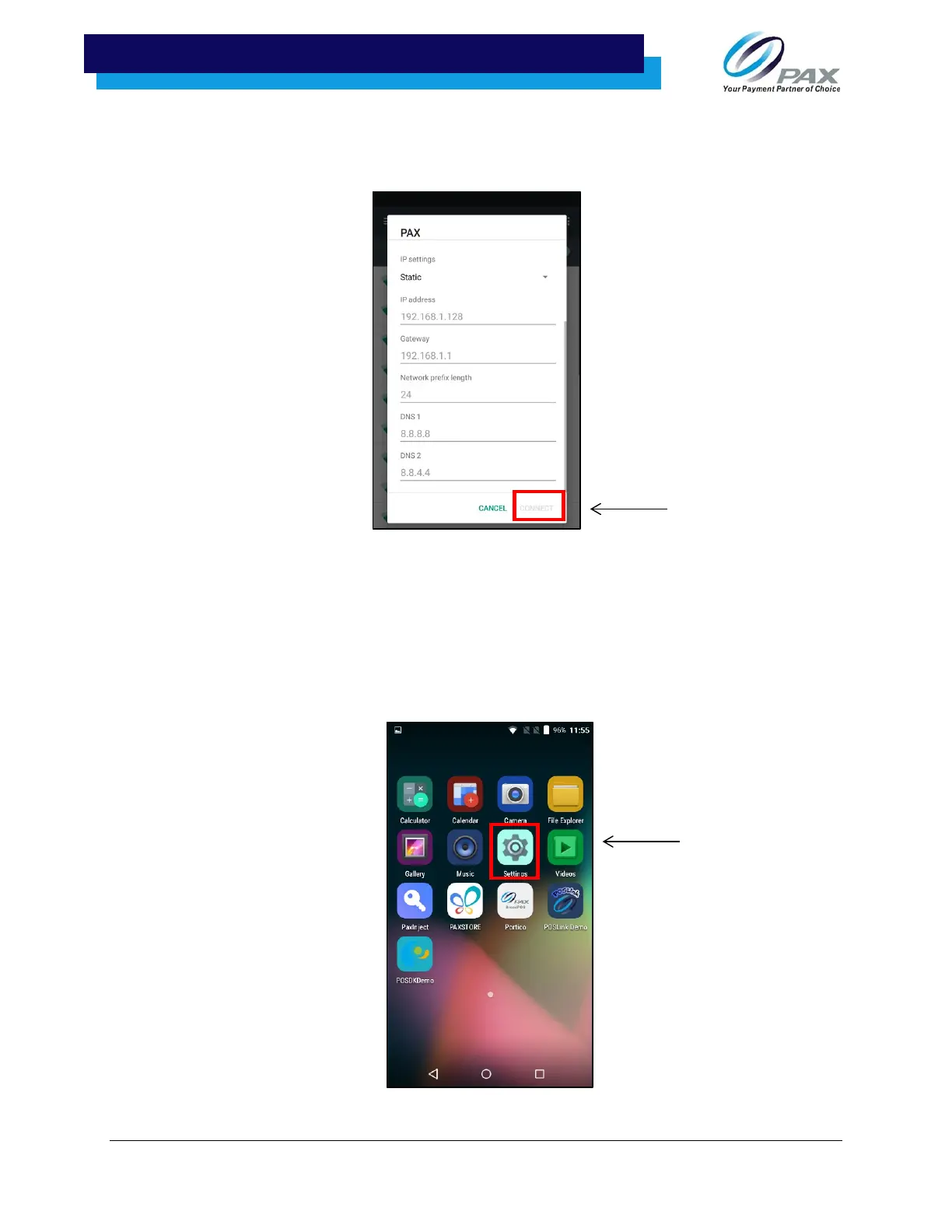
10. After selecting “Static” from the dropdown menu, scroll the new input options. Enter the
IP address, Gateway, Network prefix length, DNS 1, and DNS 2. Once all fields have been
entered, select “CONNECT” from the bottom right-hand side of the screen.
12.4 Manual Static IP
If the broadcast SSID is disabled on an access point, the terminal will not display the SSID under available
Wi-Fi network listings. In this case, it is necessary to manually configure the terminal for Static IP
connection types.
To set up a manual static proxy, follow steps 1-8:
1. From the home screen, select ‘Settings.”



 To Next Page
 Loading...













