v1.0 | 56
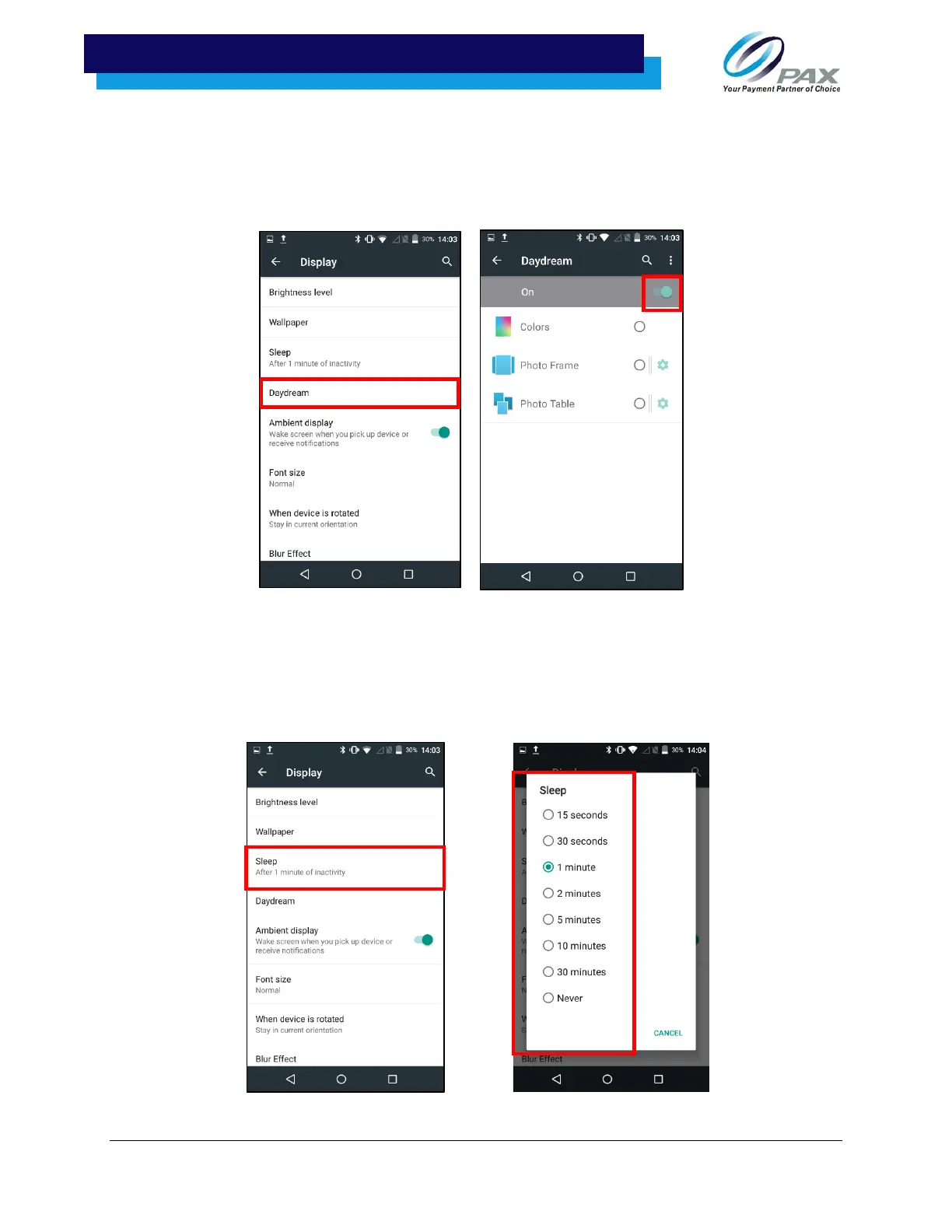
8. How to turn on/off the screen saver?
Navigate to the Settings menu from the home screen and then select “Display.” In the display
settings, select “Screen saver.” Once the screen saver settings have been selected, the
wallpaper can be turned off and on.
9. How to set the screen sleep time?
From the Display settings, select “Sleep.” After selecting “Sleep,” a menu allowing adjustment
of the screen’s sleep time will pop up.



 To Next Page
 Loading...













