v1.0 | 36
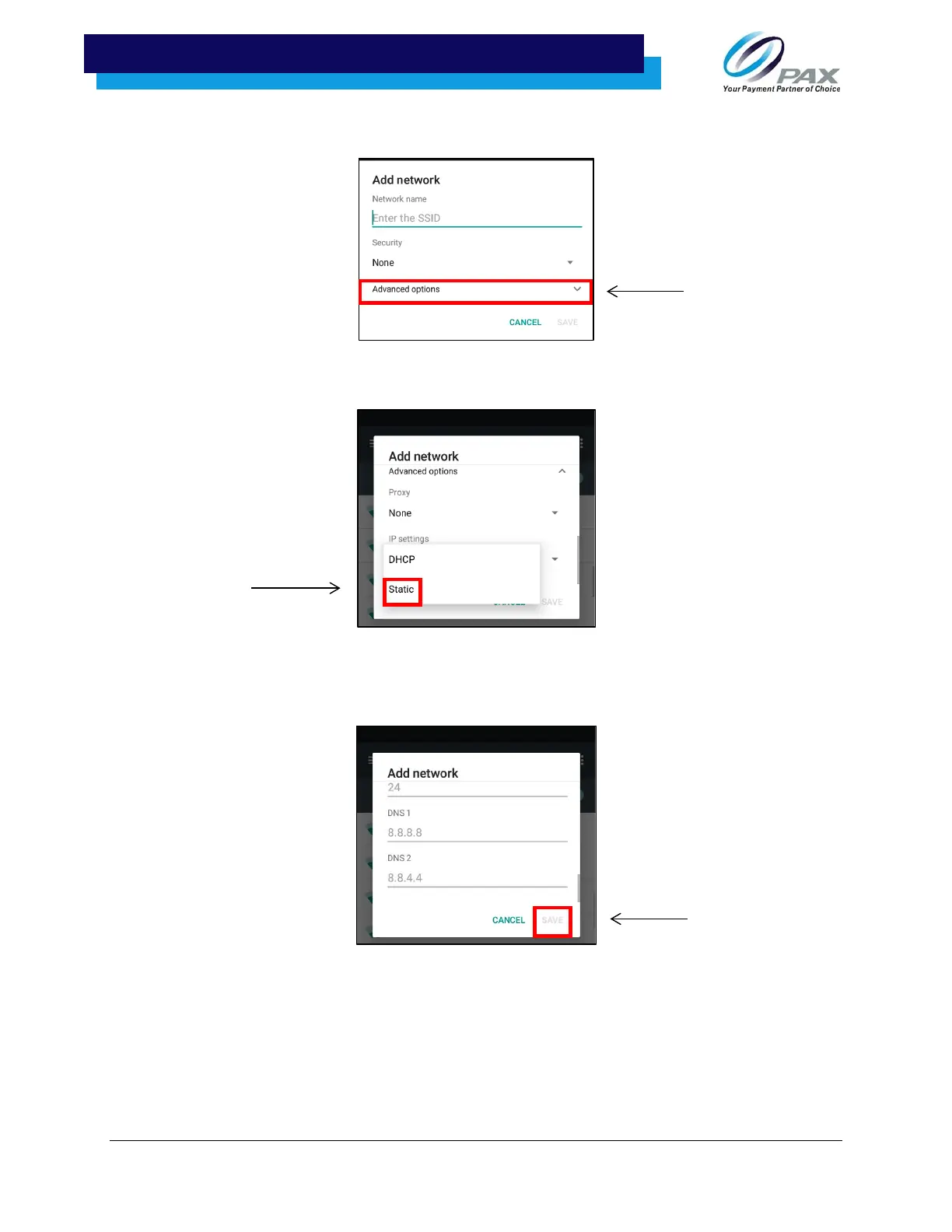
6. Select “Advanced options.”
7. Under IP settings, select “Static.”
8. Use the touch screen to scroll the pop-up window. Enter the IP address, Gateway, Network
prefix length, DNS 1, and DNS 2. Once all fields have been entered, select “SAVE.”



 To Next Page
 Loading...













