13
Configuring the PAX PX7 to Prompt for Debit
If you want the customer to choose credit or debit on the pinpad follow the steps below
Note: If the PAX is configured to prompt for Debit, then cashback with a debit sale cannot be performed regardless if
cashback is enabled thru the pinpad.
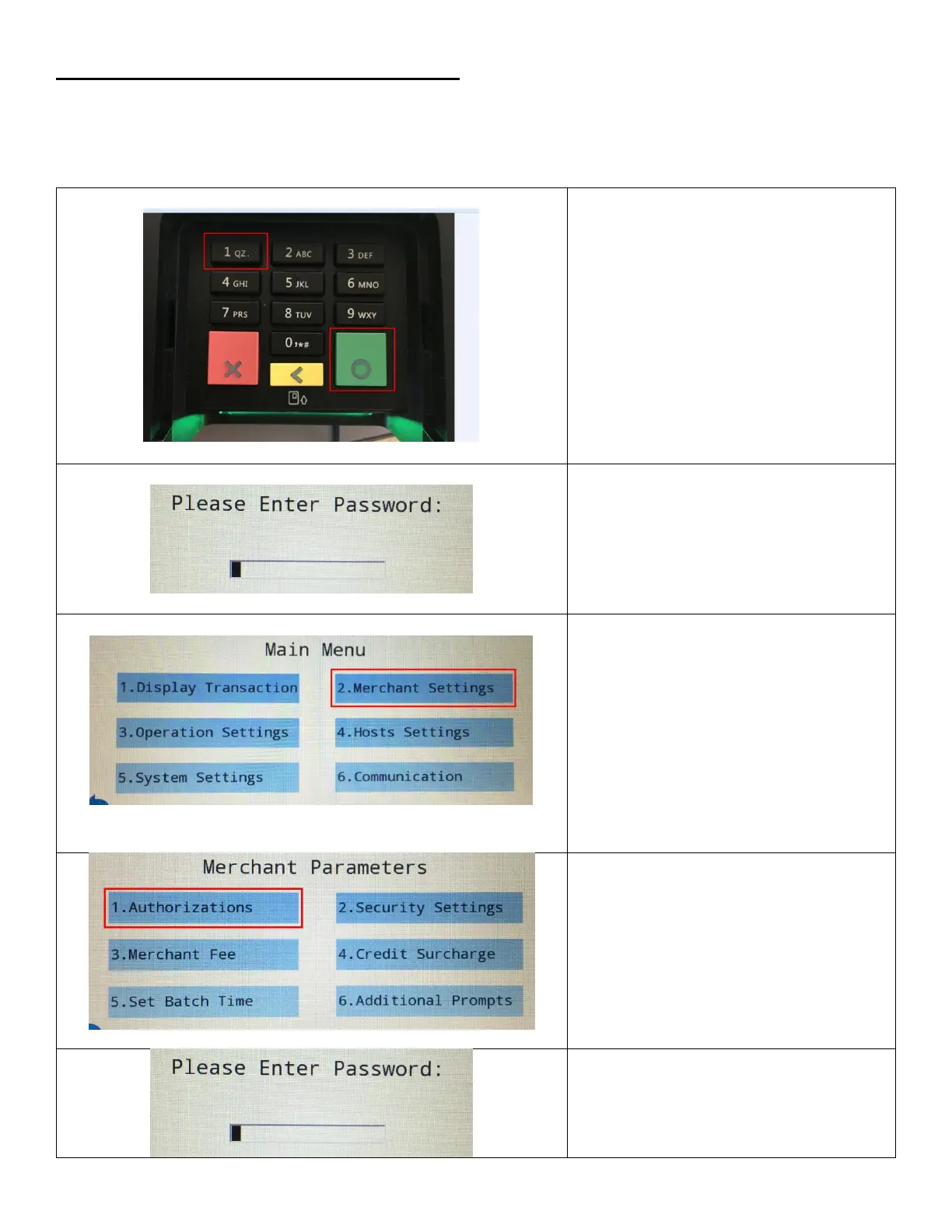
1. To access the confirmation Menu,
Press both the Green and number 1
buttons at the same time.
2. Enter Password. Then press the green
button on the keypad.
This is provided by your payment
processor
3. Tap on Merchant Settings or press 2 on
the keypad.
4. Tap on Authorizations or press 1 on the
keypad.
5. Enter Password. Then press the green
button on the keypad.


 To Next Page