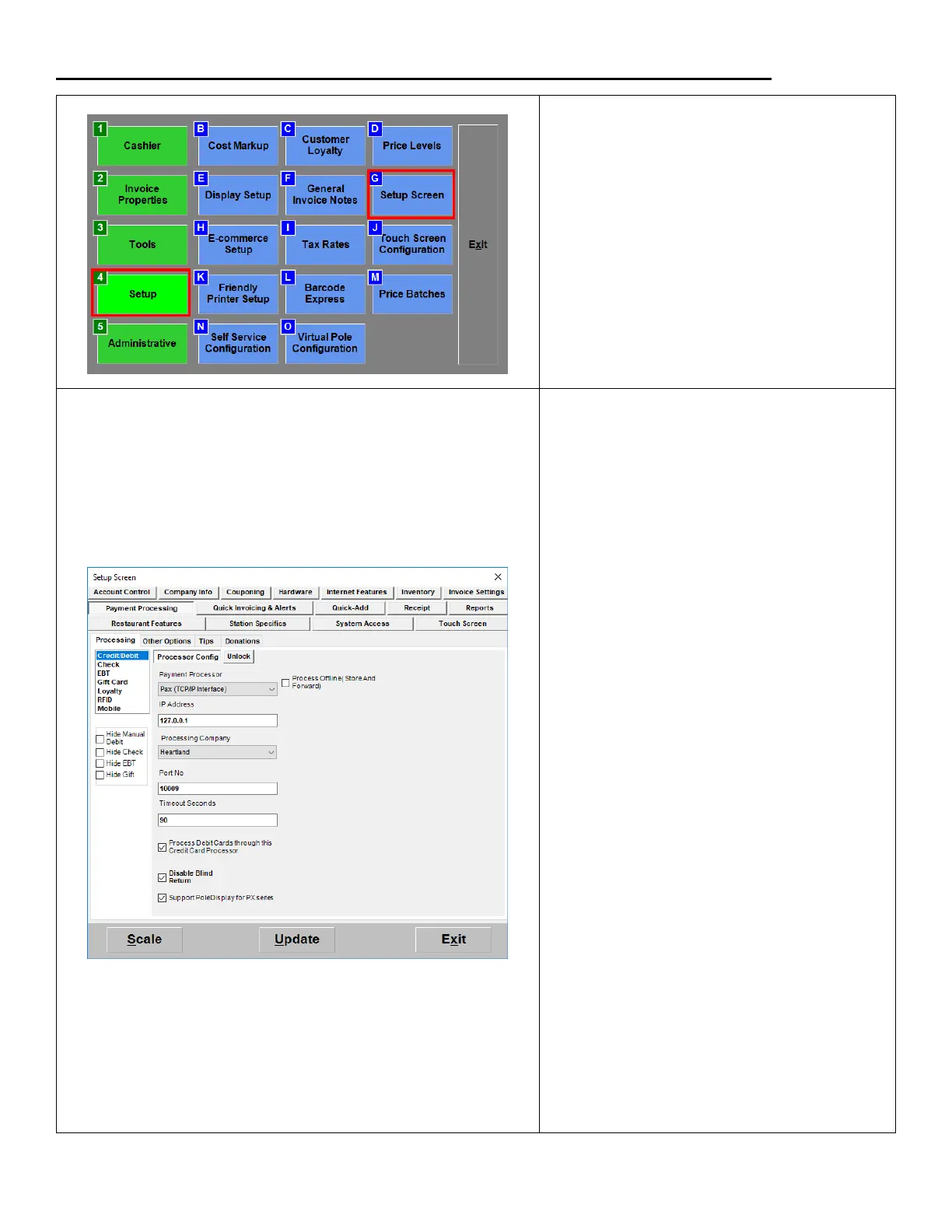
1. From the Options/Manager screen,
select Setup > Setup Screen.
2. Under the Payment Processing >
Processing tab select Credit/Debit.
3. From the Payment Processor dropdown:
Select Pax (TCP/IP Interface)
4. Enter the Static IP Address you assigned
to the PAX
5. From the Processing Company
dropdown:
Select Heartland
6. For Port No. enter 10009.
Optional:
Put a check in the box next to
Process Debit Cards, if you have
the ability to process Debit cards
with the processor.
Put a check in the box next to
Disable Blind Return. To return
any item you must have the
original receipt.
Put a check in the box next to
Support PoleDisplay, if you
want to show items that are
rung up on the device.
7. Hit Update to save your changes.


 To Next Page