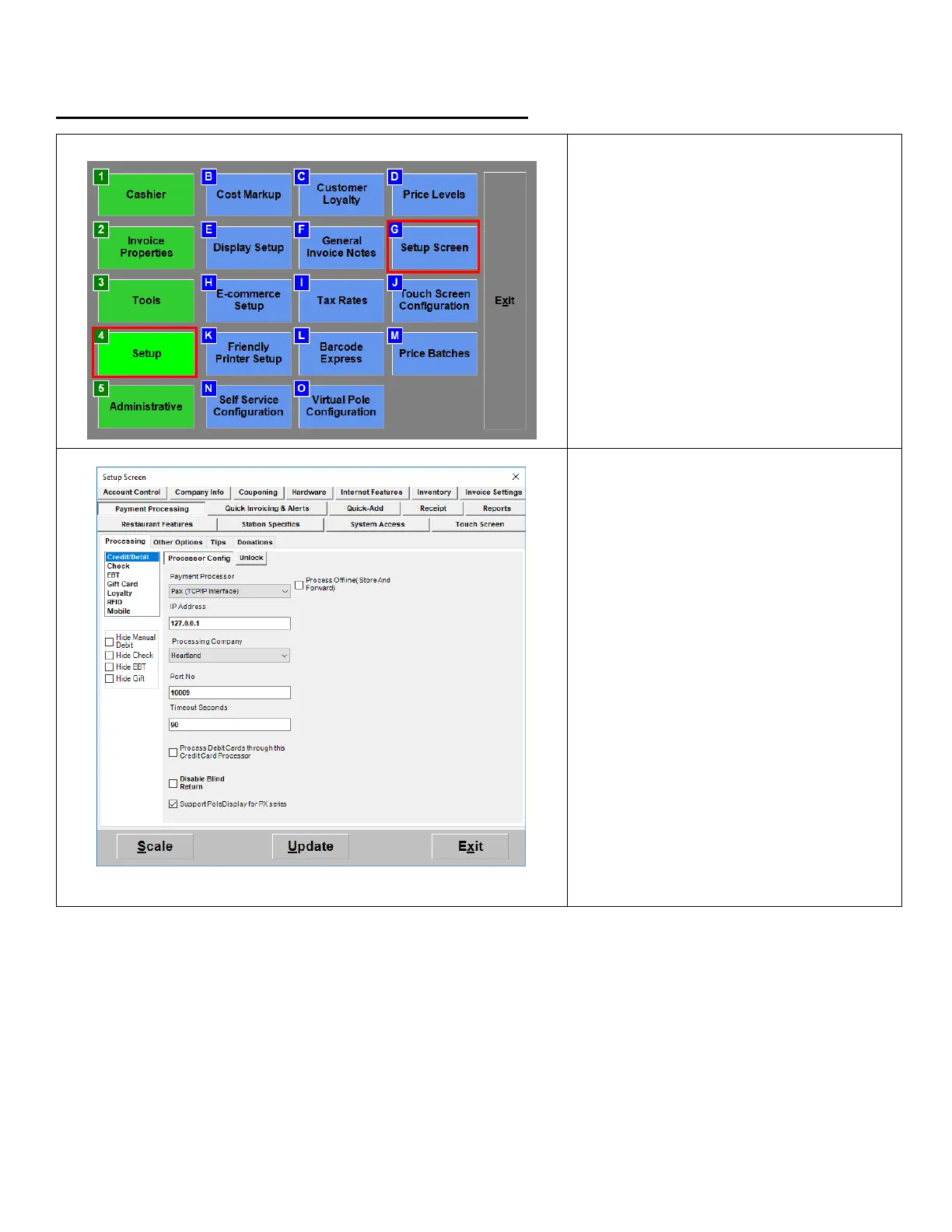
1. From the Options/Manager screen,
select Setup > Setup Screen.
2. Under the Payment Processing >
Processing tab select Credit/Debit.
3. From the Payment Processor
dropdown:
Select Pax (TCP/IP Interface)
4. Enter the Static IP Address you
assigned to the PAX
5. From the Processing Company
dropdown:
Select Heartland
6. For Port No. enter 10009.
Uncheck the box next to Process
Debit Cards.
7. Hit Update to save your changes.


 To Next Page