7
Configuring the PAX communication port for TCP/IP only
Communication between the PAX, PC, and payment processing done over TCP/IP.
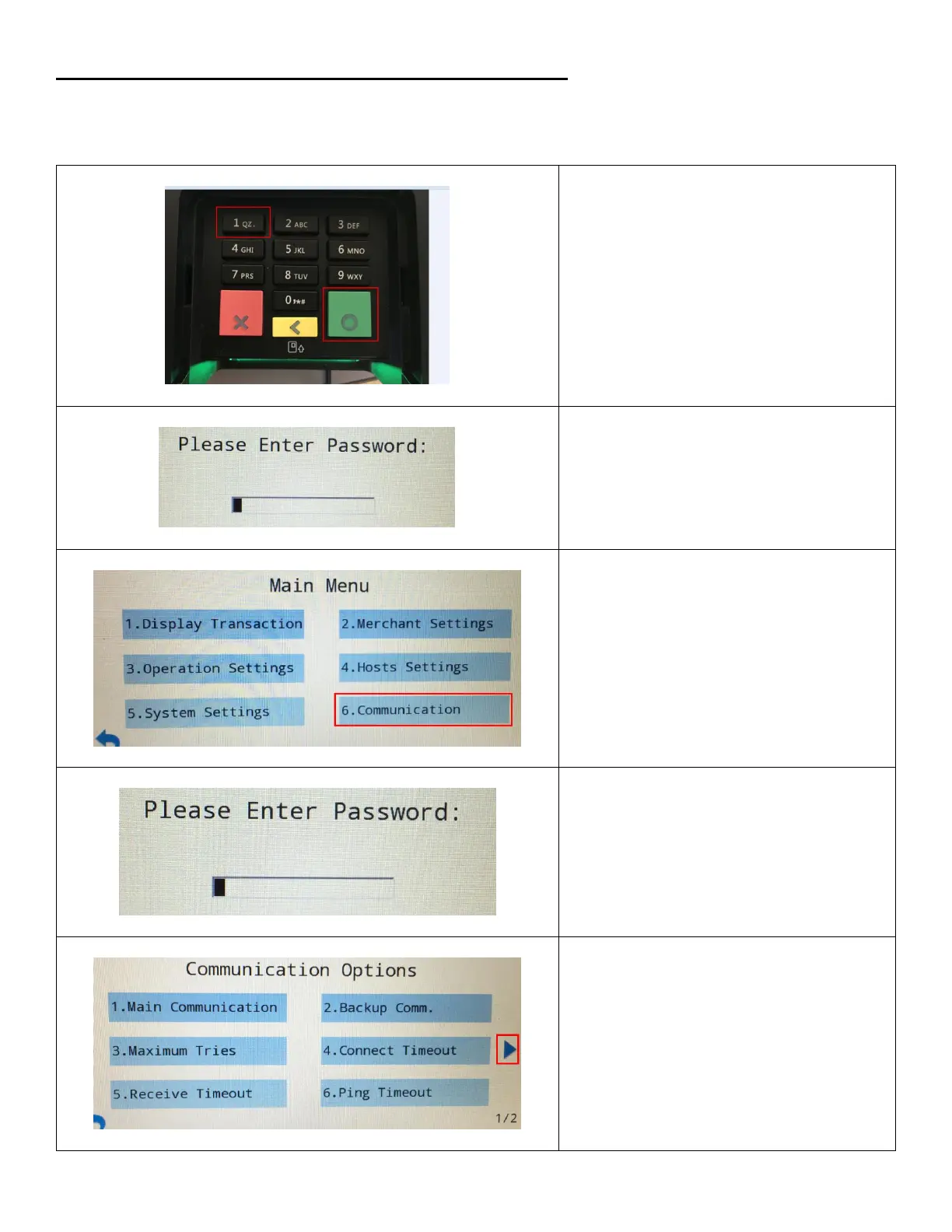
The pinpad must be configured for TCP/IP. Steps below will show you how to check and/or configured the pinpad.
1. To access the confirmation Menu,
Press both the Green and number 1
buttons at the same time.
2. Enter Password. Then press the green
button on the keypad.
This is provided by your payment
processor
Main Menu:
3. Tap on Communication or press 6 on the
keypad.
4. Enter password using the keypad.
Communication Options:
5. Tap the blue arrow on the right to
navigate to page 2.


 To Next Page