PBI-300042-B 10/2010 COPYRIGHT © PBI-Dansensor A/S
46 User Guide EN CheckMate 3
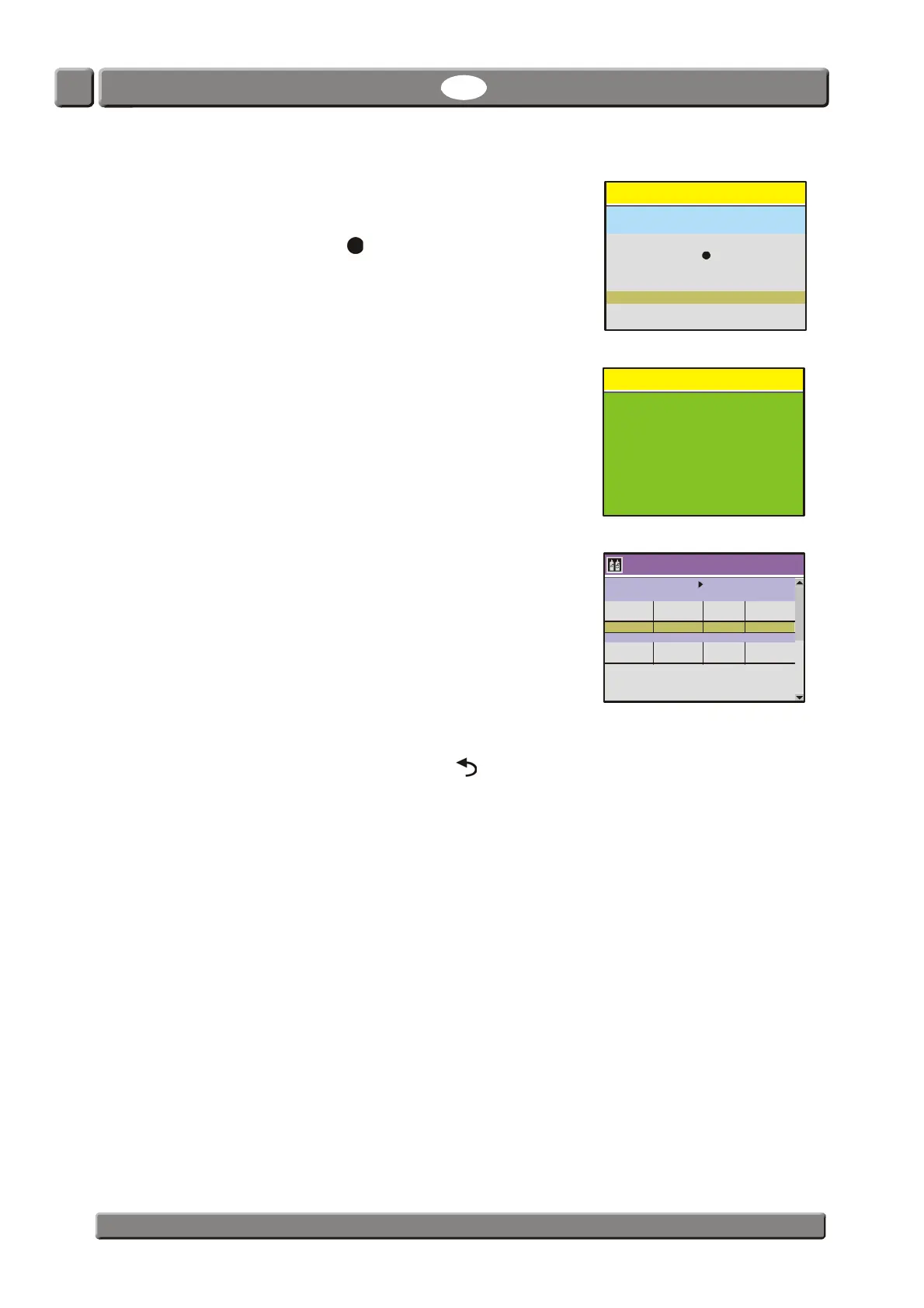
10. You will be asked to perform the calibration.
NOTE! Existing calibration value, if any, will be
overwritten.
Select "Yes" then push key.
11. The calibration will be executed.
12. When calibration has finished, the pump stops and the
display will return to the sensor menu.
Note that the fields for the 20,9460% gas now have
been updated with the values obtained during
calibration.
13. Now the O
2
sensor (EC) has been calibrated.
To return to the start screen push the key 4 times.
Warning
XXXXX
XXXXX
Old value:
New value:
Perform calibration?
Select and press
No
Yes
13:46
08/17/06
Calibration
Select sensor and press to begin calibration
O sensor (EC)
O Response Pressure Calibration
% mV mbar date
CO sensor (100%)
CO Response Pressure Calibration
% mbar date
2
2
2
2
20,9460 XX,XXX XXXX,X XX/XX/XX


 To Next Page