ООО «ТЛК Трейд» | 196158, г.Санкт-Петербург, Пулковское шоссе, д.30, корп.4, оф. 213В (юр.) | ИНН 7810592830 КПП 781001001
р/с 40702810068000007550 | к/с 30101810200000000704 | Филиал ОПЕРУ ОАО Банк ВТБ в Санкт-Петербурге | БИК 044030704
ОКПО 66035862 | ОКАТО 40284565000 | ОГРН 1107847196060 | т.(812)6499888 | http://www.tlct.ru http://www.rftel.ru
mail@tlct.ru
5.2 Remote Control
DCH-5200P can be controlled by WEB. User can type IP address of DCH-5200P in browser. It will
show login pop-up. The default user name is root and password is 12345. If you forget this username
and password, you can use front panel button to change it. You can set it in SystemHTTP login
menu. The parameters are the same as Chapter 3.3.
5.2.1 Status
User can monitor the status of inputs and output. All information of every input source can be shown in
this page. The output status and information can also be checked.
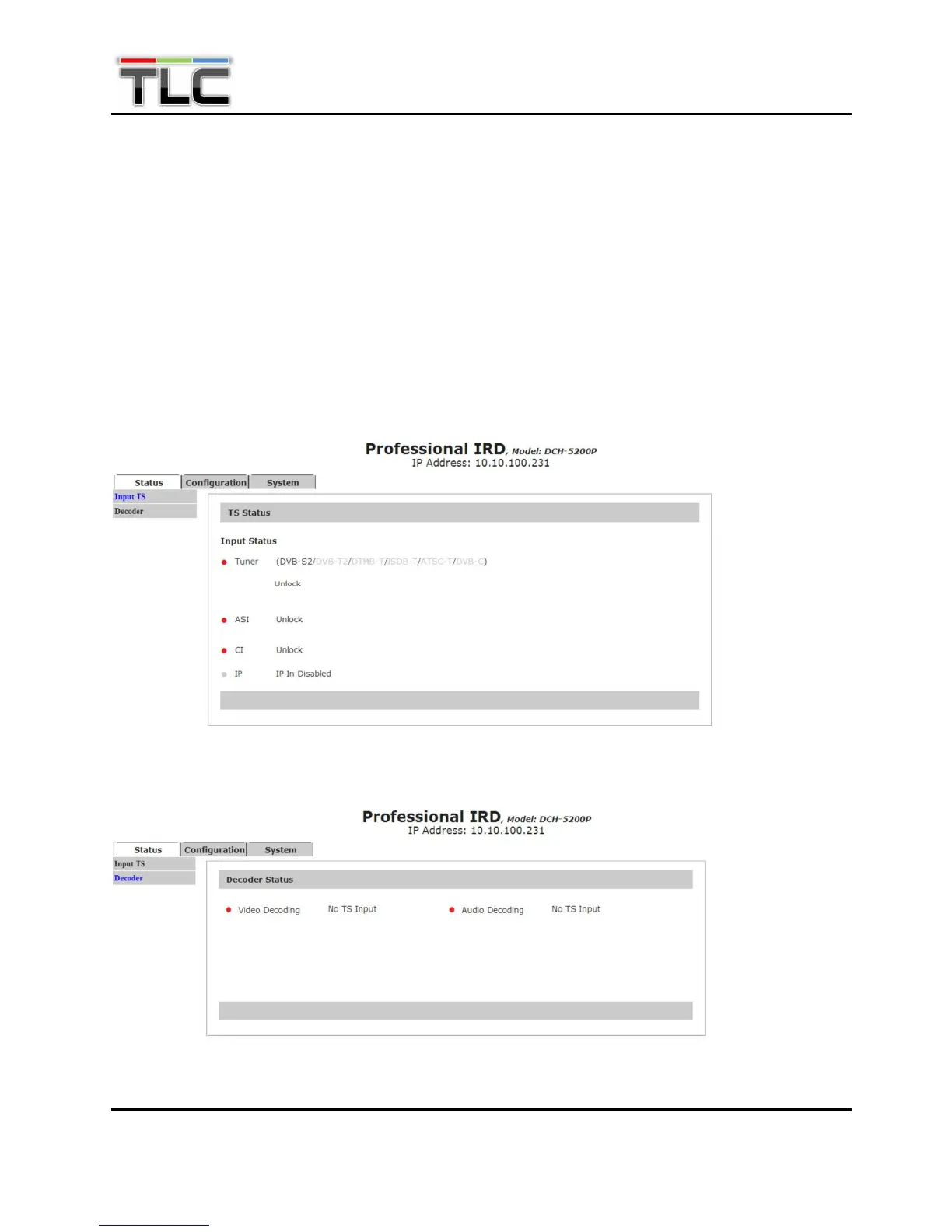
Input TS—User can monitor TS status of Tuner, ASI, CI and IP here.
Decoder—User can monitor video and audio decoding status here.


 To Next Page