ООО «ТЛК Трейд» | 196158, г.Санкт-Петербург, Пулковское шоссе, д.30, корп.4, оф. 213В (юр.) | ИНН 7810592830 КПП 781001001
р/с 40702810068000007550 | к/с 30101810200000000704 | Филиал ОПЕРУ ОАО Банк ВТБ в Санкт-Петербурге | БИК 044030704
ОКПО 66035862 | ОКАТО 40284565000 | ОГРН 1107847196060 | т.(812)6499888 | http://www.tlct.ru http://www.rftel.ru
mail@tlct.ru
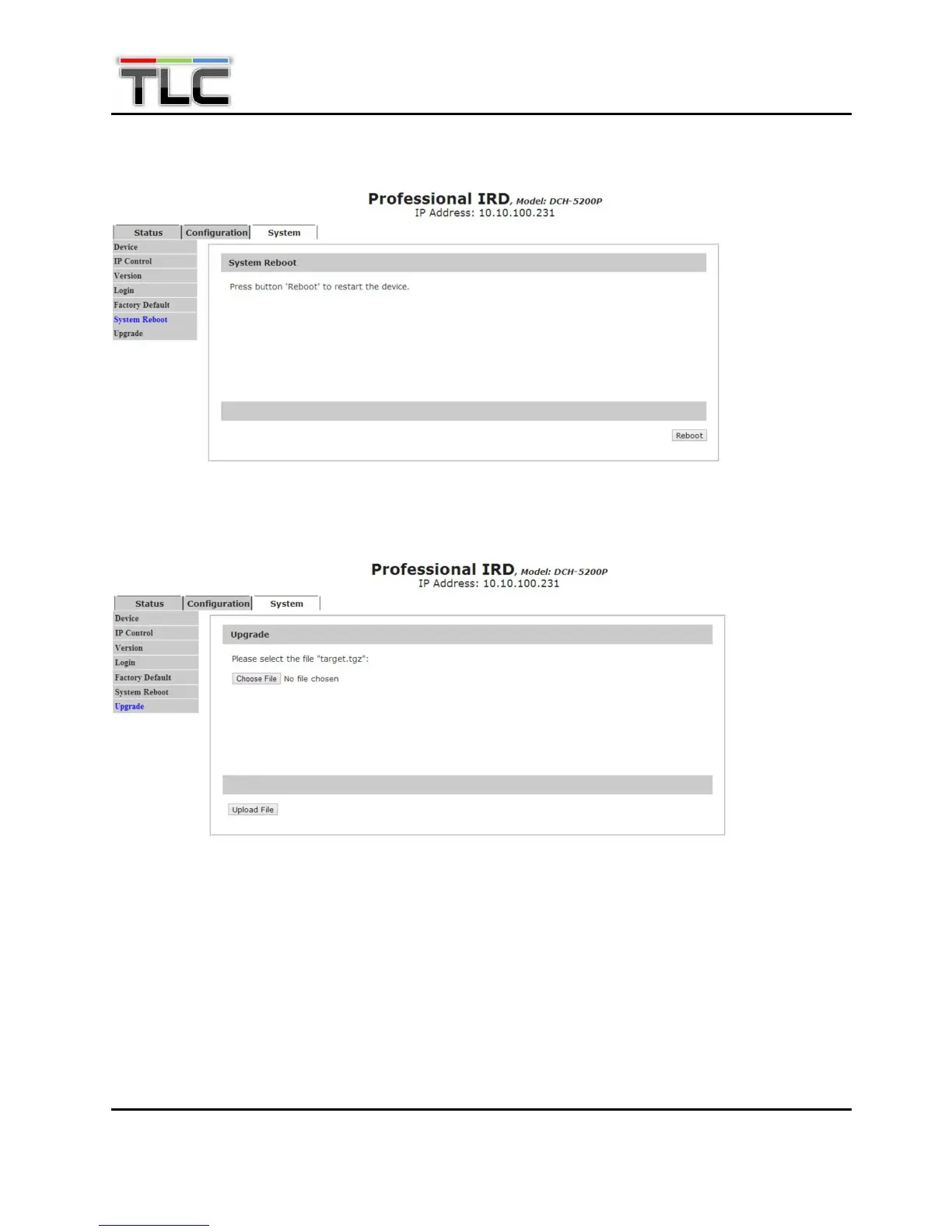
In System Reboot page, user can reboot DCH-5200P.
In Upgrade page, user can upgrade the latest firmware of DCH-5200P. Click “Choose File” button to
select a firmware upgrade package from your PC. Then click “Upload File” to start upgrading.
6. Firmware Update
Before upgrading the digital TV head-end equipment, please check whether the Hardware and
Software are compliant with the version in the release note.


 To Next Page