ООО «ТЛК Трейд» | 196158, г.Санкт-Петербург, Пулковское шоссе, д.30, корп.4, оф. 213В (юр.) | ИНН 7810592830 КПП 781001001
р/с 40702810068000007550 | к/с 30101810200000000704 | Филиал ОПЕРУ ОАО Банк ВТБ в Санкт-Петербурге | БИК 044030704
ОКПО 66035862 | ОКАТО 40284565000 | ОГРН 1107847196060 | т.(812)6499888 | http://www.tlct.ru http://www.rftel.ru
mail@tlct.ru
When the upgrade is finished, the equipment will reboot automatically.
Check the new version through “LCD: System->Properties”, or from web control page.
6.3 Firmware Upgrade from WEB
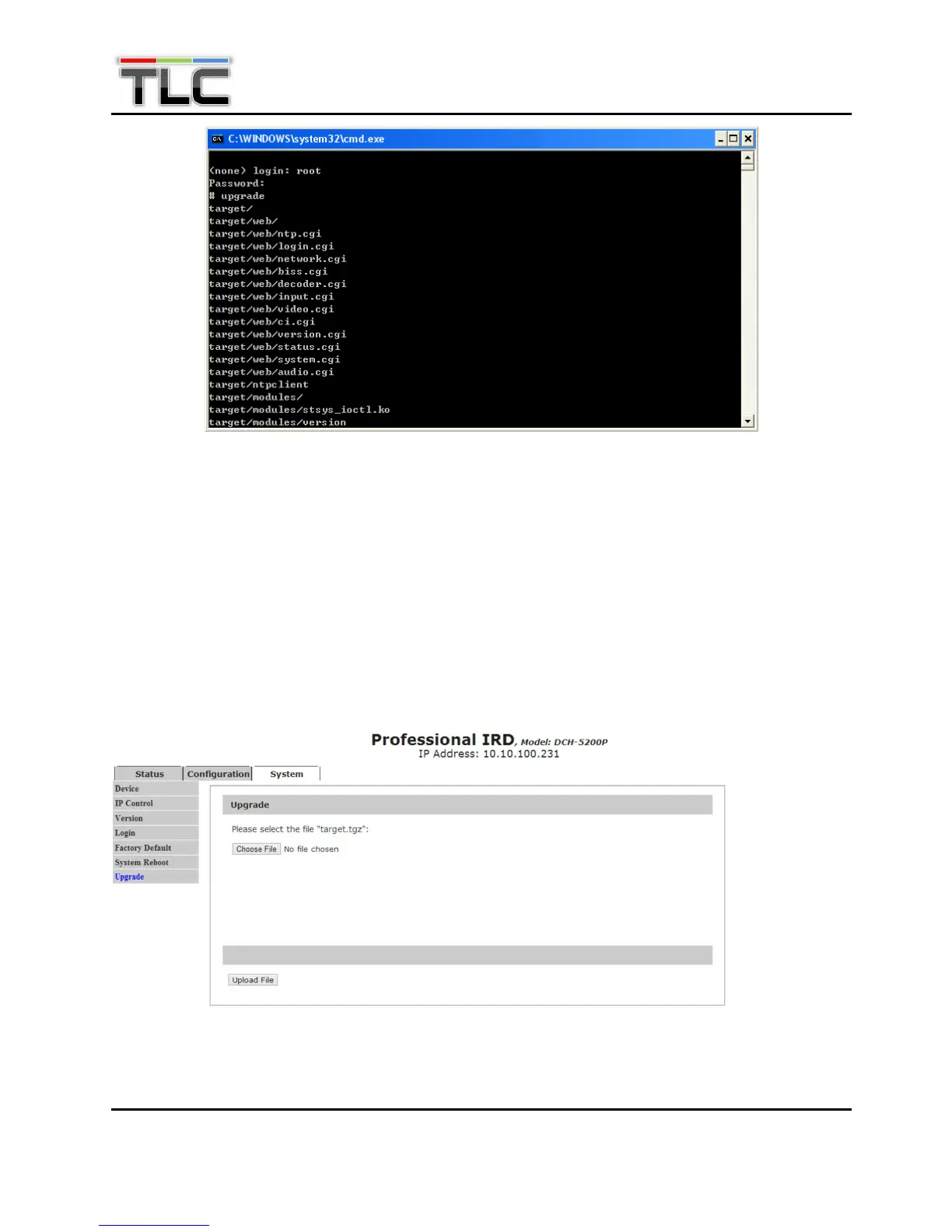
Open the Web control page of the equipment. Go to the “upgrade” function in the SYSTEM menu.
Browse the file named “Target.tgz”, click Upload file button, then the firmware is automatically
Figure 6: Upgrading


 To Next Page