P550c Operation Manual
6 Operating the system
www.pearpoint.com | 188
6.14 Replay a video
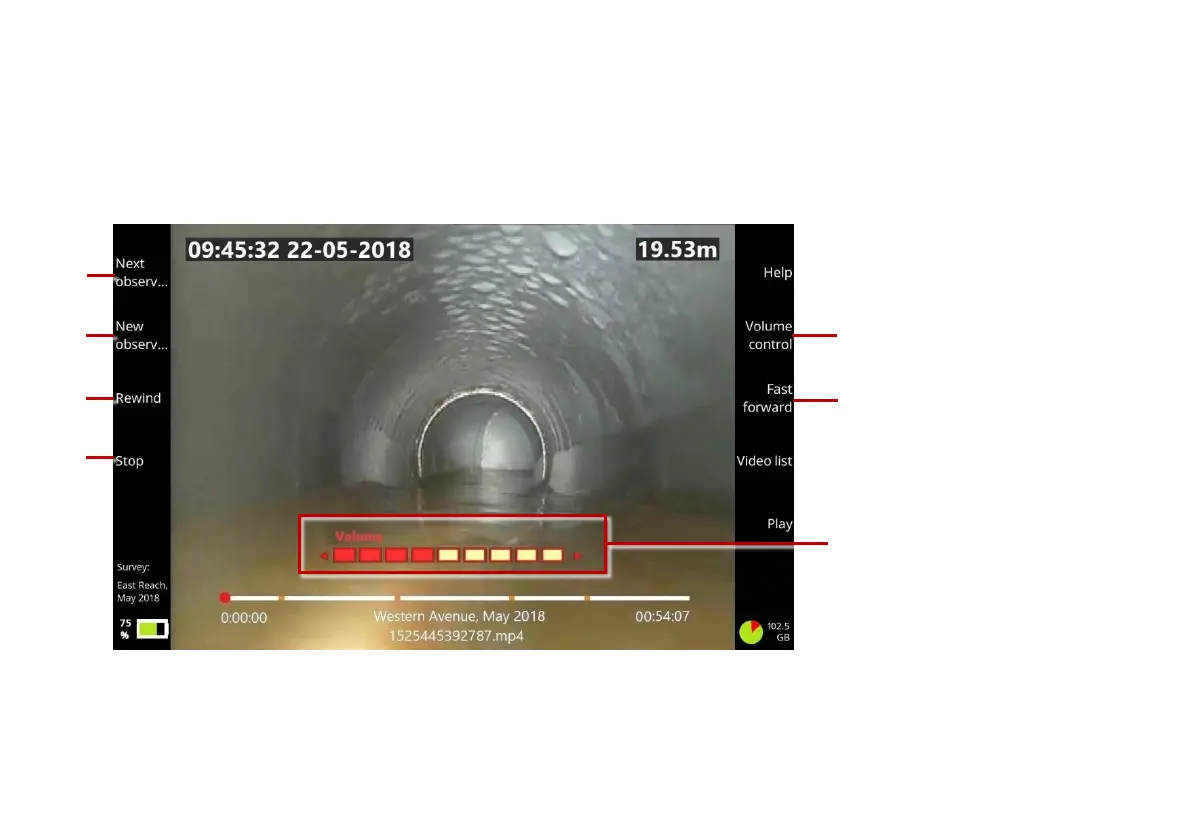
To replay a video, you must first open the survey that the video is attached to. While the video is playing,
you can stop, pause, forward and rewind, and add new observations.
Fig. 6.25: Video playback screen. 1 Next observation button. 2 New observation button.
3a, 3b Rewind and Fast Forward buttons. 4 Stop button. 5a Volume Control button.
5b Volume level Use the arrow keys to adjust the volume.



 To Next Page