P550c Operation Manual
7 Surveys
www.pearpoint.com | 233
7.7 Video streaming
You can stream the video images showing on the display of the flexiprobe P550c to a nearby connected
device, such as a cell phone or tablet by following these steps:
1. Connect your device as a hotspot to the flexiprobe P550c
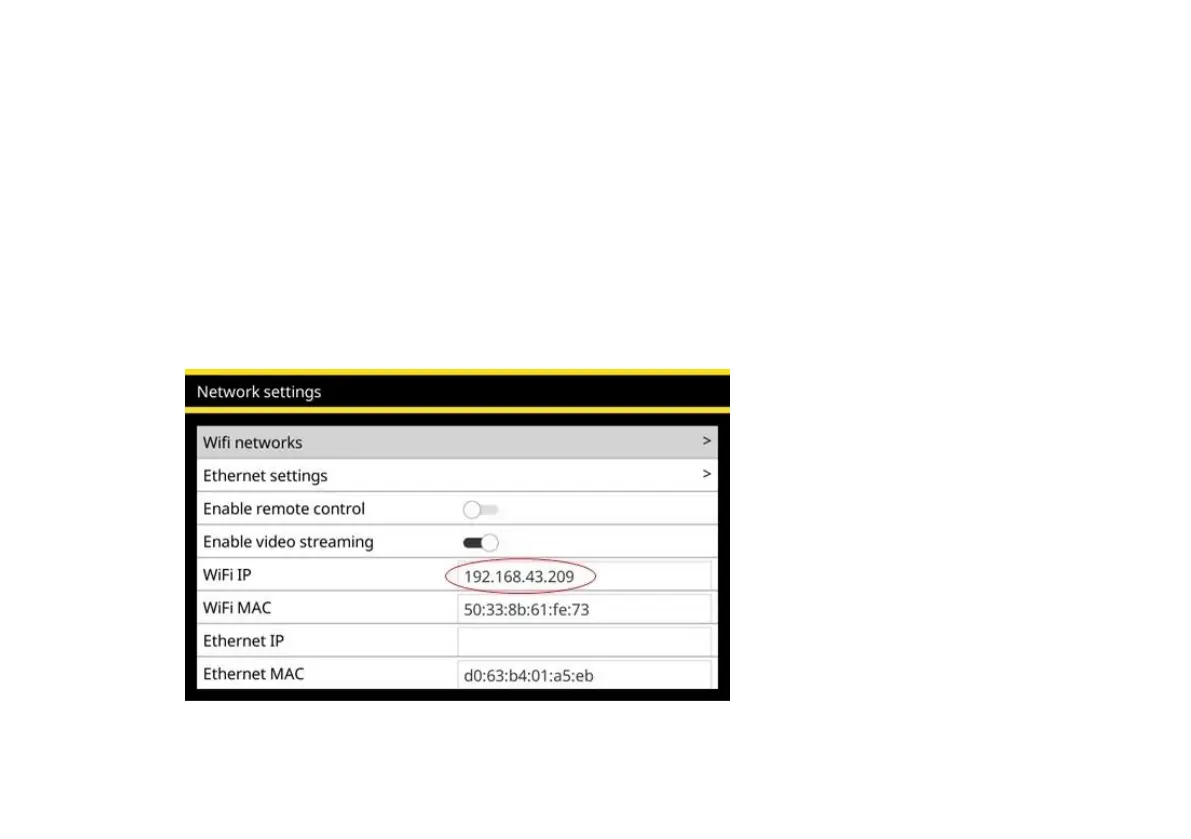
2. Open the Settings menu, then the Networks item
3. Scroll to “Enable video streaming” and activate
4. Note the IP address in the “WiFi IP” box



 To Next Page