P550c Operation Manual
3 System overview
www.pearpoint.com | 33
3.2 Controller home screen
Note: Press the Back button one or more times to return to the home screen.
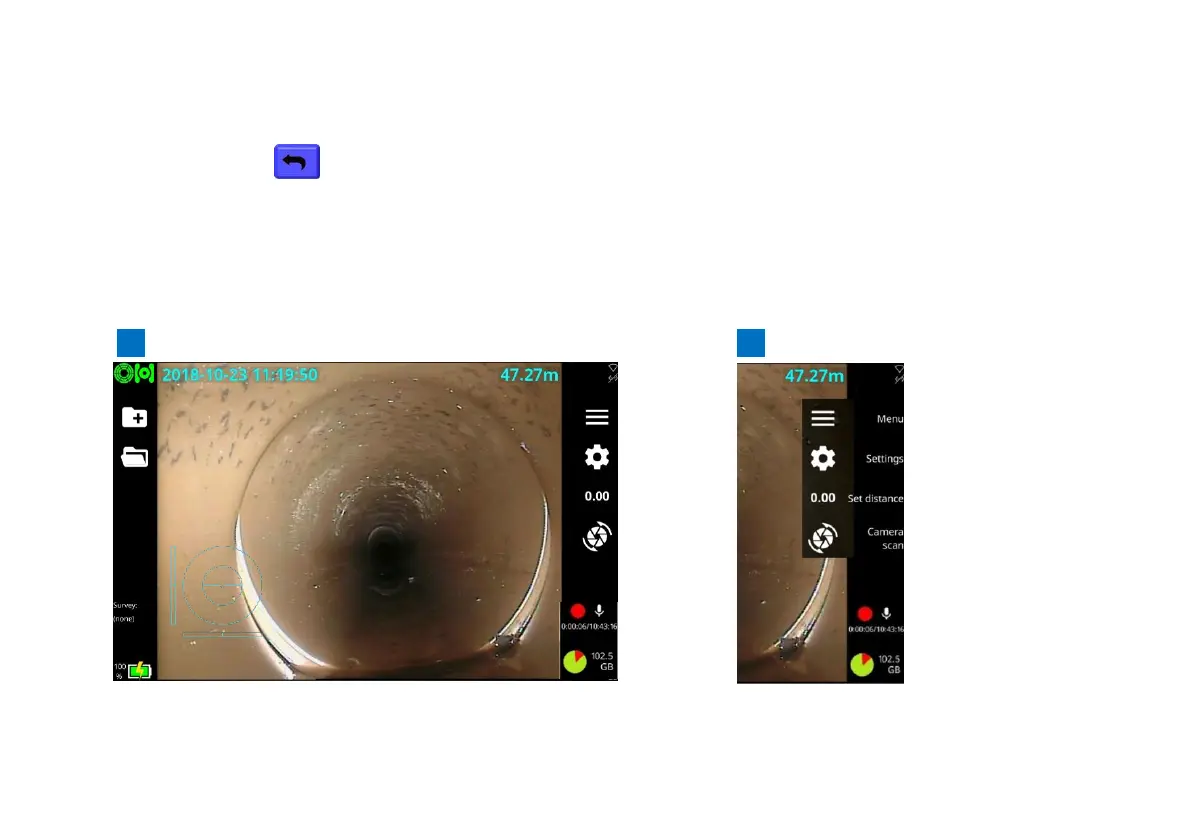
The home screen lets you create and manage surveys, configure system settings, and rotate the video
feed. It also shows real-time system information, crawler distance since being zeroed (see page 169)
and the Mimic™ (see page XX for information provided by this graphic). If required, you can overlay
these details in your survey videos and observation photos.
Fig. 3.7: Controller home screen. A Button labels hidden. B Button labels shown.
See next page for descriptions.



 To Next Page