P550c Operation Manual
3 System overview
www.pearpoint.com | 32
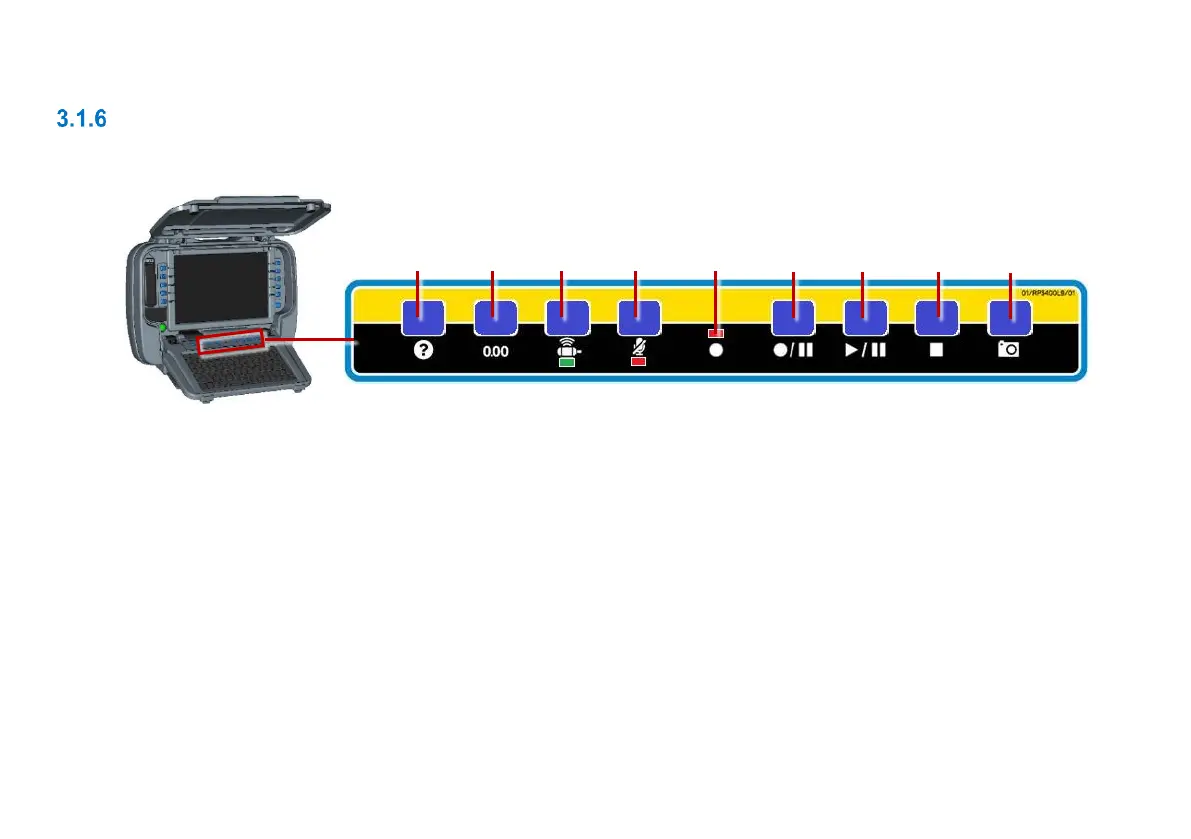
Panel buttons
Use these buttons to record and play videos, take photos, set a zero distance and mute the mic.
Fig. 3.6.Panel buttons
1 Help: Displays the P550c
operation manual.
2 Zero the camera distance:
See page 147 for details.
3 Sonde LED: Green when active.
4 Mute microphone: LED is red
when microphone or headset is
muted.
5 Recording LED: Red when video recording in progress.
6 Record / pause: Press to start or pause
video recording.
7 Play / pause: Press to play or pause video playback.
8 Stop: Press to stop video playback or recording.
9 Camera: Press to take photo and make an observation;
see page 223.



 To Next Page