P550c Operation Manual
7 Surveys
www.pearpoint.com | 196
- Structured survey: Choose between French and Spanish versions of EN13508.
3 Select the Continue menu item.
4 (Applies to Structured and WinCan surveys only) Now edit the survey header. For MSCC surveys,
the header refers to the details recorded on an MSCC standard coding form (date, location, surveyor
and so on). In the Header screen:
a. (Optional) Press the Edit survey name button and enter a descriptive name.
b. Fill in the fields required by the survey standard.
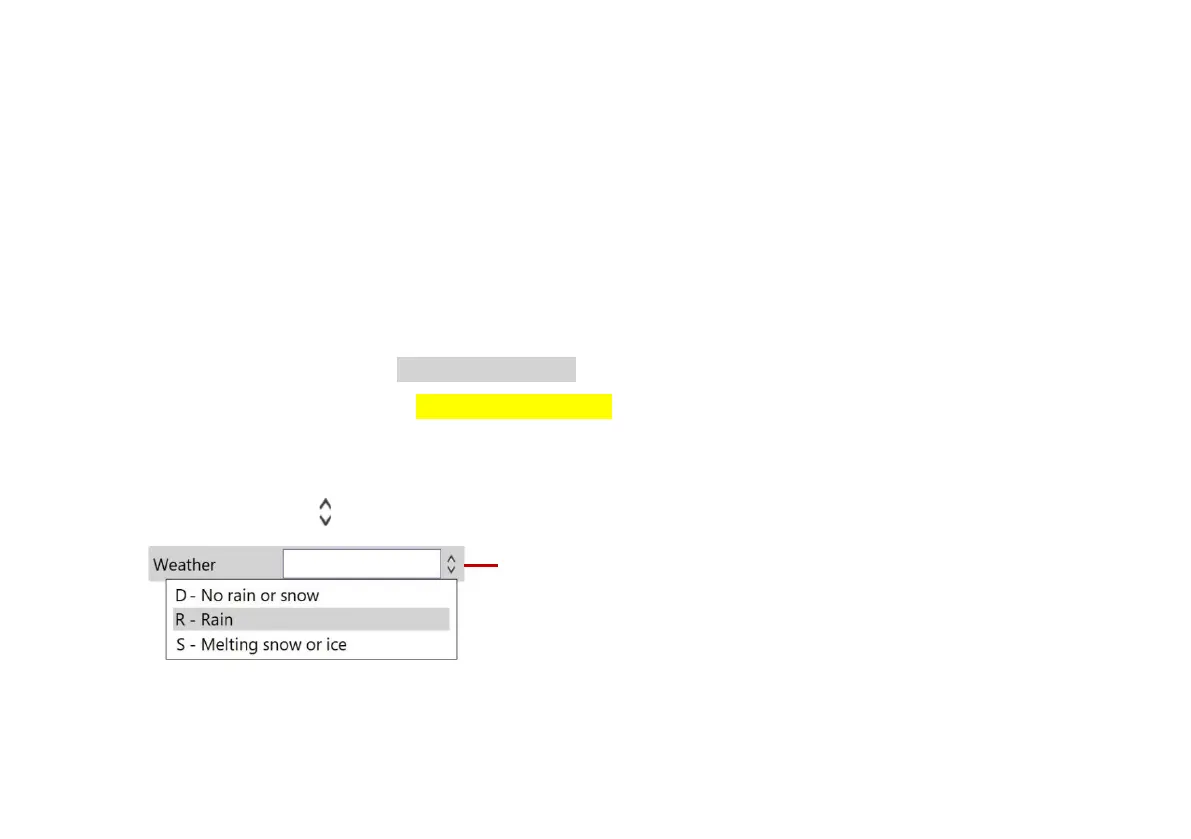
- The current field is highlighted in gray.
- Mandatory fields are highlighted in yellow. Press the Super tab button or Tab key to tab
through the mandatory fields only.
- Press the arrow keys to move through all the header fields.
- Fields with buttons have a drop-down menu. For drop-down menu shortcuts, see page 233.
Fig. 7.1: Field with example drop-down menu. 1 Drop-down menu indicator.
5 (Applies to Structured surveys only) Press the Save button to save the survey header details.



 To Next Page