53
ENGLISH |
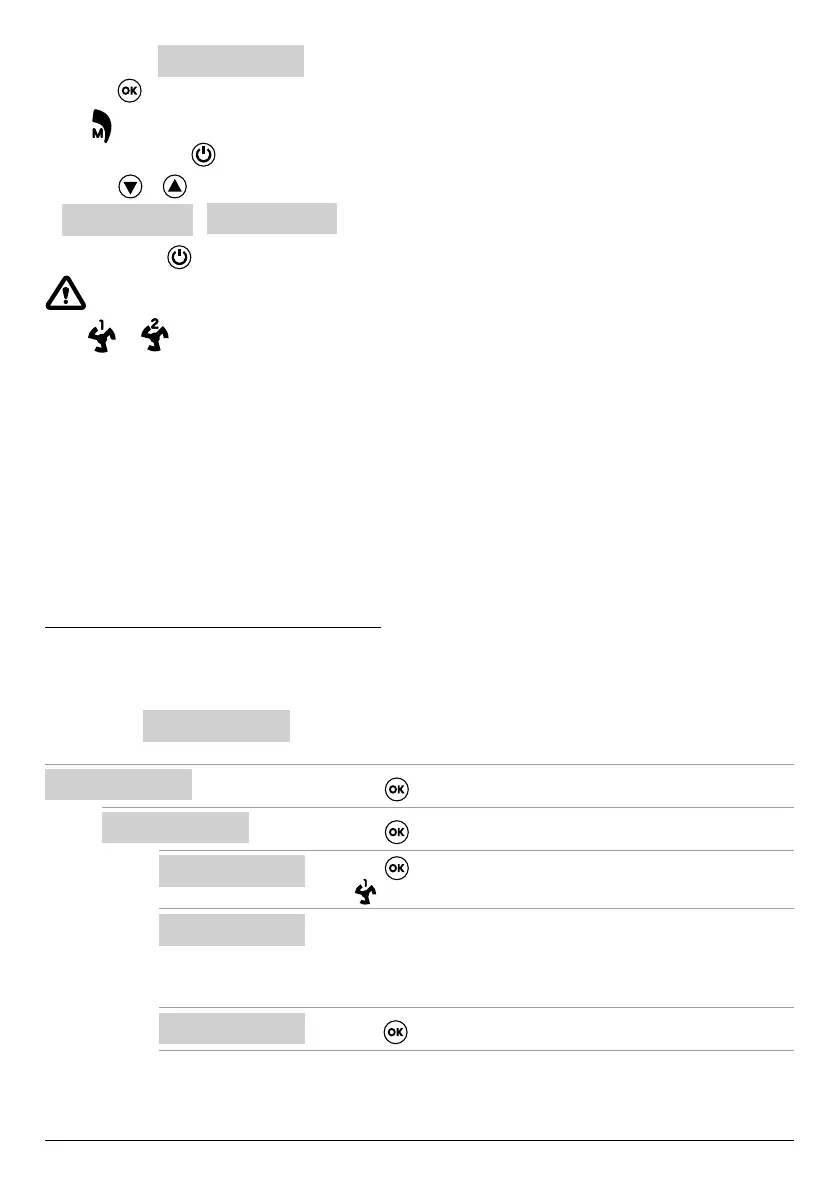
• Open the menu
SELECT
MANUAL
• Press the
key to conrm the choice
• The
symbol will appear on the control panel display
• Press the ON/OFF key
• Press the
or key to display which electric pump to operate:
PUMP1
START?
o
PUMP2
START?
• Press the ON/OFF key and hold it down to start the chosen electric pump.
If the electric pump does not start, check its operating state and/or connection.
• The
or symbol will appear on the control panel display
• The electric current, cosφ and voltage parameters will appear on the display during operation. The electric pump will stop
when the key is released.
-
CONFIGURING ELECTRIC PUMP No .1 and/or No. 2
This menu is used to congure the electric pump operating parameters.
On entering the menu, you have two options:
–enter the wizard procedure (self-learn the current, cosφ and voltage parameters)
– proceed with manual conguration in the menu using the pump rating plate data.
SELF-LEARN CONFIGURATION (WIZARD)
The conguration wizard is a guided procedure that automatically stores the electric pump current and power factor (cosφ)
in a few steps.
Open the menu
SELECT
PUMP1 CONFIG
and proceed as follows.
SELECT
PUMP1 CONFIG
• Press the key to conrm the choice and enter the submenu
9
PUMP1 CONFIG
WIZARD
• Press the key to conrm the choice and enter the submenu
9
WIZARD
START PUMP1?
• Press the key to start electric pump no. 1.
• The symbol will appear on the display followed by the next screen.
CLOSE VALVE
c:0.70
• Close the electric pump delivery valve until the minimum cosφ value is dis-
played (c).
• Wait about 20 seconds to let the cosφ parameter (c) settle, and then the
procedure will go to the next screen.
PRESS OK SAVE
c:0.70
• Press the key to save the COSFI MIN parameter and go to the next screen.
Continued



 To Next Page