EN 38
USING THE AUTOMATIC MENU SETTINGS
Vegetable menu setting
The vegetable menu settings oer you 10 pre-programmed settings for handy preparation
of your vegetables. The preparation time and power are set automatically. Select one of the
10settings, enter the weight and start the preparation. Put the vegetables in the steamer
basket on the ceramic baking tray on level 1 in the oven.
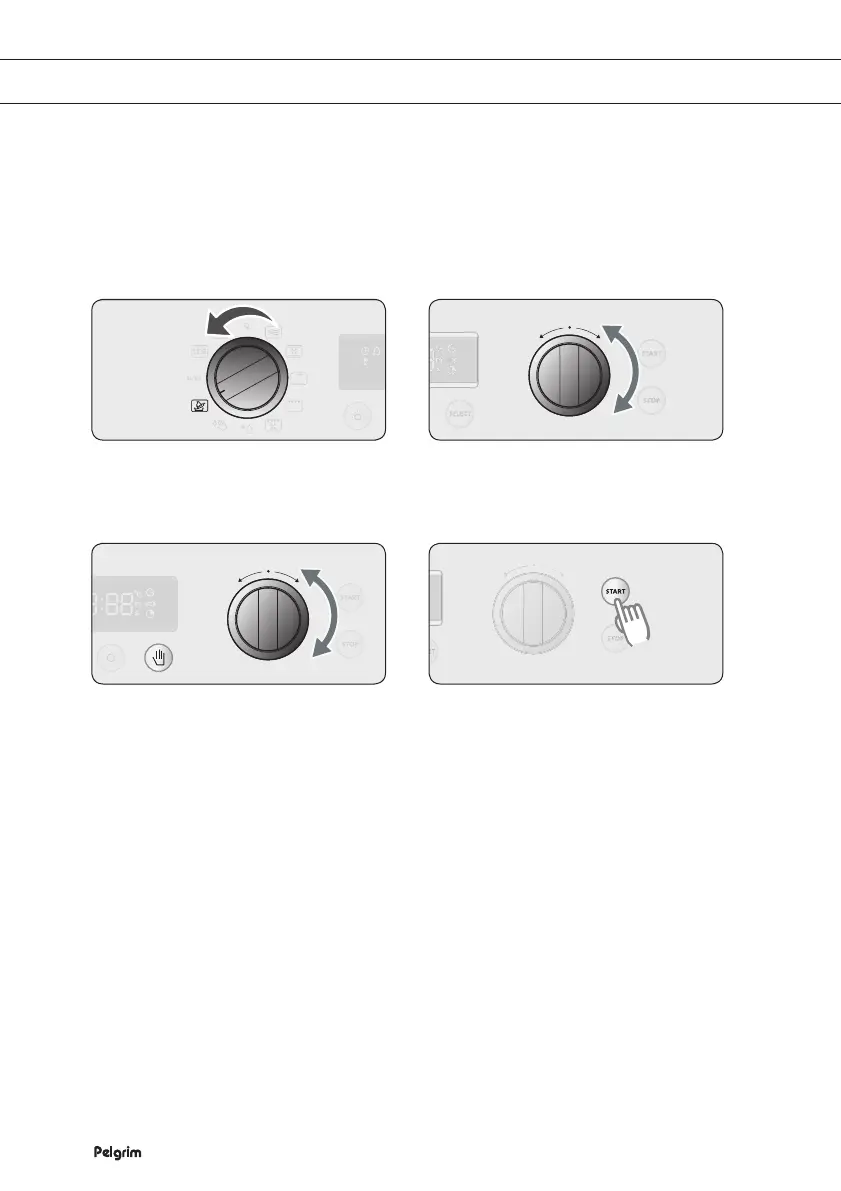
Selecting the vegetables menu setting function
Turn the SETTING SELECTOR KNOB
to the VEGETABLES MENU setting.
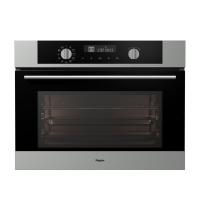
Turn the FUNCTION SELECTOR
KNOB to set the vegetable setting you
want.
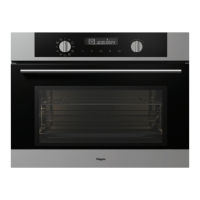
If you want to change the weight,
press SELECT and turn the
FUNCTION SELECTOR KNOB to the
weight you want.
If you do not select a weight, a weight
is set automatically after 5 seconds.
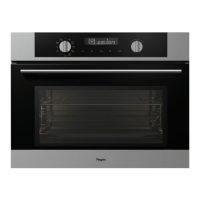
Press START to start the preparation.
1
2
3
4


 To Next Page