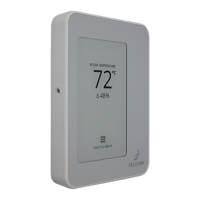
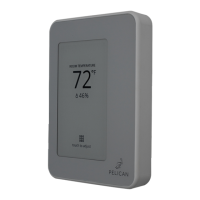
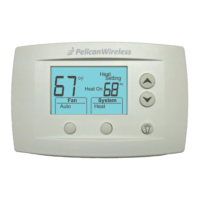
Mounting - PEARL Accessory
(3)
(2)
(1)
Zone Damper
Actuator
(3)
(2)
(1)
Zone Reheat
Actuator
TO PELICAN TC SERIES
ZONE THERMOSTAT
24 VAC
Pearl
Economizer
Controller
PELICAN
Pearl
Economizer
Controller
PELICAN
T1
T2
T3
Use sheet
metal screws to
secure the
PEARL.
Pearl
Economizer
Controller
PELICAN
Limited
Wiring
Module
T1
T2
T3
Tighten
terminals.
Three pin
connector
For zone damper installation where there is a
modulating damper and/or a modulating reheat, the
Pelican PEARL provides analog 0 [2] — 10V DC outputs
and a zone discharge temperature inputs for
modulating sequence to operate. A zone discharge air
sensor must be wired to the PEARL in this application.
Installation Requirements:
◦ Minimum Wire Count: At least three (3) wires are
required between the thermostat and the PEARL
(unshielded wire is acceptable).
◦ Maximum Wire Distance: The maximum wire
distance between the PEARL and the thermostat
is 500 feet.
◦ Thermister: The PEARL accepts a 10K Type 2
temperature sensor.
This solution ensures that even in installations with
limited wiring, the Pelican thermostats can effectively
modulate and monitor the zone damper’s operation.
Step 1: Install the thermostat Wiring Module into
the PEARL and install them at the Zone Damper.
◦ Remove the Wiring Module: Follow steps on
page 15 to remove the Wiring Module from the
Pelican Thermostat.
◦ Install into PEARL: Gently slide the Wiring
Module upwards, towards the three-pin
connector, to mount into the PEARL.
◦ Tighten the Terminals: Tighten the R, C, and D
terminals on the Wiring Module.
Pelican PEARL
Power &
Communiction
SUPPLY AIR
TO ZONE
FROM
AIR HANDLER
ZONE DAMPER
ACTUATOR
ZONE
REHEAT
DISCHARGE TEMP
Pearl
Economizer
Controller
PELICAN
Pearl
Economizer
Controller
PELICAN
T1
T2
T3
Step 3: Install the 10K Type 2 Thermister.
Determine the location for the discharge air sensor to
detect an accurate leaving air temperature. Ensure this
location is after the zone damper and beyond any
reheats.
Wire to PEARL: Using existing or new 18-gauge wire
connect the sensor to the T1 inputs on the PEARL.
◦ Maximum Wire Distance: 100 feet.
◦ Configuration: Configure the thermostat to
register the connected sensor as the Supply
Temperature.
Step 2: Mount and connect the PEARL.
Securely attach the PEARL to the zone terminal box.
Connect the PEARL’s power and communication
terminals to the corresponding terminals going to the
Pelican thermostat using existing or new 18-gauge wire.
Ensure each connection is secure and correctly
matched:
◦ R terminal (24V AC) to the respective R input
◦ C terminal (Common) to the respective C input
◦ D terminal (Data) to the respective D input
Wire to Actuator(s) & Power: Refer to “Wiring”
diagrams from page 18 to 31 for instructions.
17



 To Next Page
 Loading...