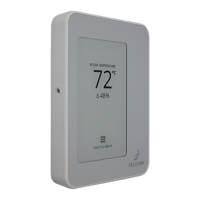
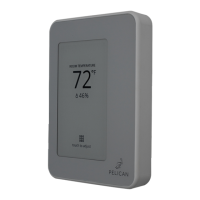
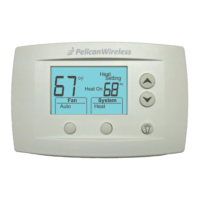
Pearl
Economizer
Controller
PELICAN
A zone thermostats is one device in Pelican’s zoning
solution. Thermostats get installed to control individual
zone dampers and/or reheat positions. And in some
situations require accessories to provide complete
damper operation. A Pelican zone coordinator gets
installed to control one or more central air handlers
which provide heating, cooling, and ventilation to these
thermostat’s zones.
The zone thermostats establish communication with its
zone coordinator over Pelicans wireless mesh network.
Thermostats send real-time heating, cooling, and
ventilation requests to the zone coordinator, which
processes these requests and make adjustments to the
central equipment to satisfy the different zone
demands.
(1) Duct Temp Sensors
(For sensing the zone terminal
box discharge air temperature)
(1) Pelican TA1
(add a temperature input to a
Pelican thermostat)
(1) Pelican PEARL
(For modulating dampers or reheat valves. Also
adds a temperature input to the Pelican thermostat)
(1) Limit Wiring Module
(removable device that comes
mounted inside thermostat
sub-base)
Zone Thermostat Parts
Zone Thermostat Accessories
(1) Pelican Thermostat
(2) 3/16" Sheet Metal Screws
(for mounted thermostat on
dry-wall)
(2) Dry-Wall Anchors
(for sheet metal screws to secure
to dry-wall)
or active.
4) Reheat actuators MUST be able to rotate
to their 100% open and 100% closed
position.
5) Each zone thermostat MUST be able to
communicate its heating, cooling, and
ventilation demands to a Pelican zone
coordinator.
6) A proper Pelican wireless networking
MUST be established across the facility.
7) Each zone thermostat MUST be able to
directly read its zone’s space temperature.
And if used, the room’s relative humidity
(RH%) and/or carbon dioxide (CO2) level.
8) Each zone thermostat MUST be able to
read its zone’s discharge air temperature.
PELICAN
Before You Start
Review all instructions in this installation manual before
starting to avoid discovering or creating any issues
during installation. These controllers are designed to be
installed on Class 2 - 24V AC systems only.
This controller is designed to be installed by a licensed
professional.
A Pelican Gateway must be installed and have
a fully established Ethernet connection to set
up and use the Pelican zoning solution. Zone
thermostats cannot be configured,
commissioned, or managed without a gateway
and a zone coordinator part of the wireless
network. We recommend installing the
gateway and zone coordinator prior to
installing zone thermostats.
This device meets California’s Title 24 energy efficiency
standards.
California Title 24
Disconnect electrical power to the power source and/or
the HVAC equipment before wiring the Pelican zone
coordinator. Failure to follow this warning could cause
electrical shock, personal injury, or damage to the
controller.
Safety Considerations
PELICAN
ROOM TEMPERATURE
72
(2) 3/16" Machine Screws
(for mounted thermostat on a
single gang electric box)
(1) Air Blocking Shield
(for mounted behind thermostat
to prevent unusual airflows)
2



 To Next Page
 Loading...