Advanced Configurations
Advanced configurations have limited access. For
assistance with advanced configurations, please contact
Pelican engineering support.
IMPORTANT
This section is for reference only. Thermostats
regularly receives updates and additional
configuration options that may not be included
in this guide. For further assistance or help with
specific application needs, contact Pelican
engineering support.
Display Settings
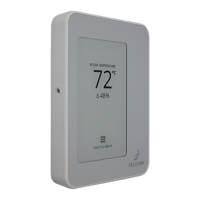
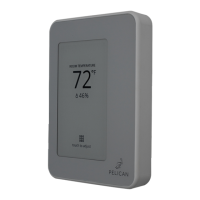
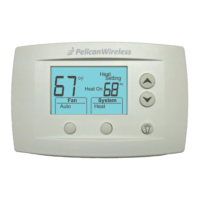
Adjust what is displayed on a thermostat’s screen.
Configuration Name/Description
Display Type – Identifies how the
thermostat display should look.
Thermostat Default
Time Only¹
Remote Sensors²
(D)
No
Yes
(D)Disable Fan Button – Display or
hide the fan button on the
thermostat.
¹The thermostat will only display the time on the bottom of the
display and the info button in the top right of the screen. All
thermostat functions remain active and are controlled through the
web-app.
²If there are remote sensors wired to the thermostat, they can be
selected to display their readings on the thermostat’s display.
No
Yes
(D)Disable Mode Button – Display or
hide the mode button on the
thermostat.
Settings/Range
Variable Temperature Settings
Provides adjustment to the modulation reheat
strategies and which analog output is assigned to the
reheat sequence.
(D)Type – sets what modulating
sources are available to the
controller.
Heat Signal Output – sets which
analog output is used for reheat
modulation. Only unassigned
outputs are available.
None
Heat
Cool
Heat & Cool
A1
A2
(D)
Modulating Heat Configurations:
Configuration Name/Description Settings/Range
10.0V DC
0.0 to 10.0
Open: (D)
(R)
2.0V DC
0.0 to 10.0
Closed: (D)
(R)
Heat Actuator Voltages – Sets the
volt [DC] range for the modulating
reheat source:
Open = Max Heating
Closed = No Heating
Heat Always Active – the
controller will continuously
modulate its reheat source to
maintain the moderate heating
target.
No
Yes
(D)
Temper Air During Ventilation –
the controller will temper the
discharge during ventilation cycles.
Off
On
(D)
Ventilation Delta Degrees –
temper during ventilation this
many degrees above the
thermostat’s heat set point.
0°F
0°F to 10°F
(D)
(R)
Initial Heat Actuator Position –
sets the starting volt DC output
when a reheat cycle begins.
30%
0% to 100%
(D)
(R)
Change Heat Actuator Delay
Minutes – sets an interval timer
for when the next calculated
modulation adjustment is made.
1 minute
1 to 10 minutes
(D)
(R)
Moderate Heat Target – Sets the
moderate reheat target supply
temperature.
Aggressive Heat Target – Sets the
aggressive reheat target supply
temperature.
105°F
-22°F to 180°F
(D)
(R)
115°F
-22°F to 180°F
(D)
(R)
39



 To Next Page
 Loading...