When Capacity Management is enabled in a zoned cycle,
some zones may enter a "Waiting" state until sufficient
capacity is available for their requested cycle to begin.
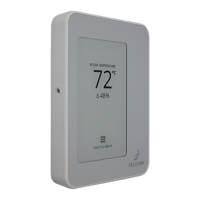
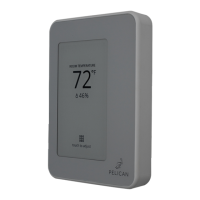
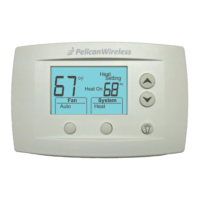
For effective Capacity Management, each Pelican zone
thermostat should be configured with a zone size. This
setting indicates the amount of airflow (CFM) available
from the space during a cooling or heating cycle.
Size Options:
◦ x-small (< 200 sq. ft.)
◦ small (200 - 500 sq. ft.)
◦ medium (500 - 1000 sq. ft.) (default)
◦ large (1000 - 2000 sq. ft.)
◦ x-large (> 2000 sq. ft.)
When zone sizes are configured, the zone coordinator
receives cycle requests and assesses which zones can
accept additional airflow to enable the requested cycle.
This strategy helps prevent mechanical cooling or
central heating from starting when there is insufficient
airflow, even if only a few zones require conditioning.
Note: This algorithm should be used as a last-resort
option as it may cause discomfort in some zones during
low cooling or heating demands.
Additional Capacity Management logic can be
implemented, including but not limited to:
◦ Limited Zone Dump PID loops,
◦ Full Dump configurations,
◦ Allow Zero Heat Stages,
◦ Adjustments to Minimum and Maximum Supply
Temperature allowances,
◦ Various target supply temperature resets and
staging strategies.
Refer to the zone coordinator installation manual for
detailed calculations and configurations.
Capacity Management
During occupied hours, all thermostats should be set to
call for Fan. This ensures that ventilation, recirculation,
and balancing sequences can run between heating and
cooling cycles.
Occupied Fan Demand
Appendix A: Signal Outputs
The Pelican Connect app provides access to a zone
thermostat’s signal outputs and analog input/output
through a manual override page. This page is primarily
designed for information purposes but can also be used
to troubleshoot signals through manual changes.
IMPORTANT
The Signal Output page is a MASTER OVERRIDE
feature of the zone thermostat’s 24 VAC
signals. The zone thermostat DOES NOT know
when these 24 VAC signals are being manually
changed. It is extremely important that these
24 VAC outputs are only changed during
equipment testing and not used if not well
understood. If one or more 24 VAC signals are
manually changed, they must be changed back
to the correct state.
As for the analog outputs (0-10 VDC), the zone
thermostat will not allow you to manually
change them if they are link to a control
sequence. To manually adjust these outputs,
the configuration linked to that analog output
needs to be disabled.
IF THESE WARNINGS ARE CONFUSING, STOP
WHAT YOU ARE DOING AND CONTACT
PELICAN TECHNICAL SUPPORT FOR FURTHER
ASSISTANCE.
Relay Outputs:
Each 24 VAC Relay Output shows the current output
state from that terminal of the zone thermostat .
◦ Gray means the output is disabled.
◦ Green means the output is enabled.
If the output button is pressed, a signal will be sent to
the zone thermostat to change the selected output’s
state. The Pelican Connect app will update the output
when the app receives confirmation from the zone
thermostat that it has received and changed the signal.
Analog Signals:
Each Analog Output shows the current voltage (V DC)
output from that terminal. Analog output sliders will
only allow for manual control if the modulation logic
linked to that output is disabled. If modulation logic is
enabled, the slider might move temporarily, but the
zone thermostat will ignore the change within a few
minutes.
Each Analog Input shows the current voltage either
being outputted or inputted into that terminal of the
zone thermostat.
Sequence of Operations
46



 To Next Page
 Loading...