www.pelprostoves.com 7083-171H • February 23, 2015 19
C. Snap Disc Replacement
Power - Manual Reset
1. Turn the dial control to the off position. Unplug the power
to the unit.
2. Using #2 Phillips screwdriver, loosen the bolts on the rear
of the unit holding on the left side panel. You do not need
to remove the screws. Remove side panels by lifting up
and out.
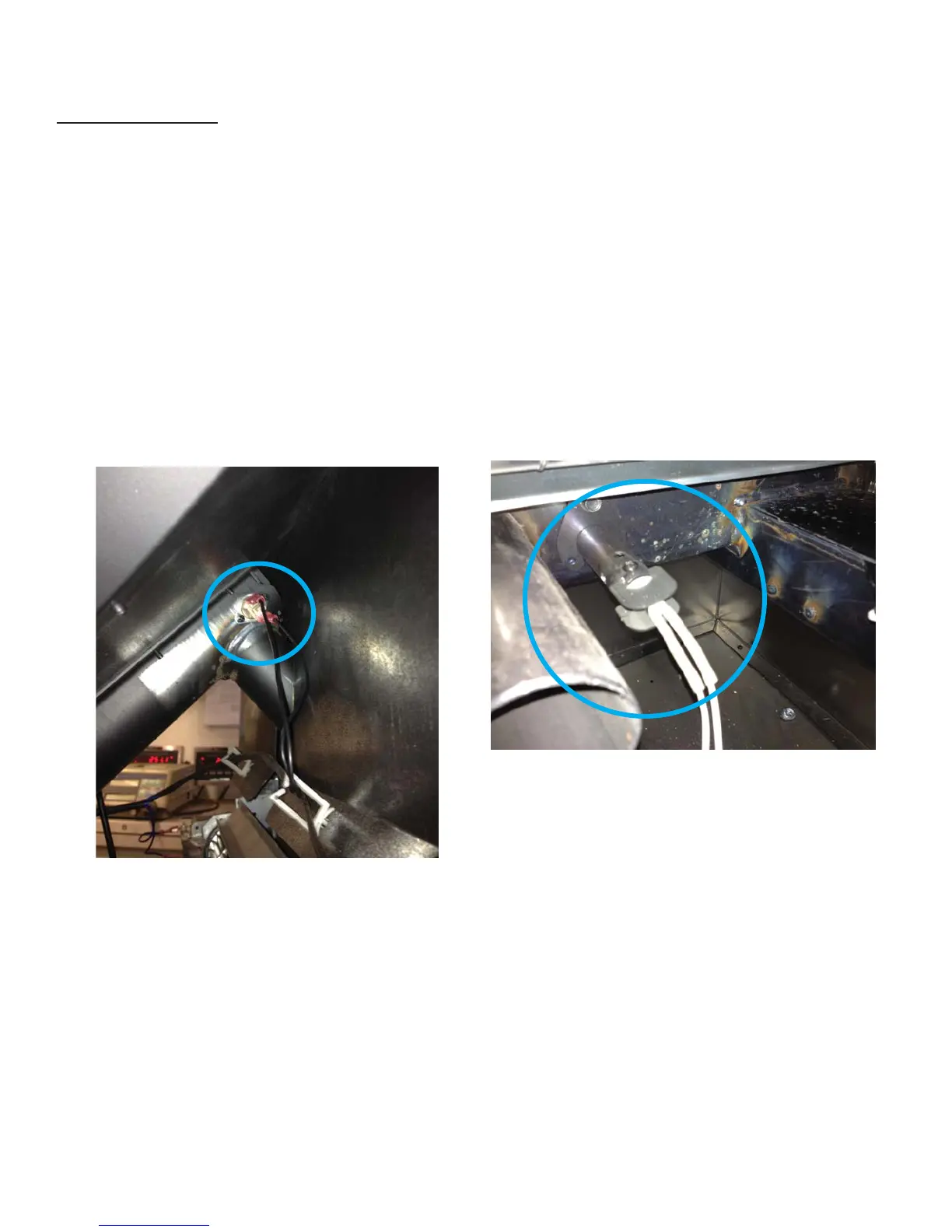
3. Locate the snap disk on the top side of the feed tube
where it meets the hopper. Disconnect the wire leads
from the snap disk.
4. Using a #1 Phillips screwdriver, remove two 6-32 fasten-
ers retaining the snap disk onto the side of the feed tube.
5. Using the same fasteners, attach the new snap disk.
Attach the wire leads.
6. Restore power.
D. Igniter Replacement
1. Turn the dial control to the off position. Unplug the
power to the unit.
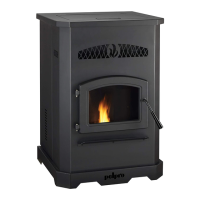
2. Unplug the wire leads to the igniter.
3. Remove the screw in the side of the igniter chamber.
Pinch the ends of the bracket together and pull the
igniter straight out of the igniter chamber.
4. If there is diffi culty in removing the igniter from the
chamber, the chamber can be removed from the rear
of the fi rebox by removing the 1/4-20 bolt.
5. Re-install the new igniter into the chamber using the
bracket.
6. Inspect the igniter from the front of the unit by removing
the fi repot and looking into the end of the chamber.
MAKE SURE THE IGNITER IS CENTERED IN THE
CHAMBER.
E. Baffl e Removal & Replacement
1. Turn the dial control to the off position. Make sure the
unit is cool.
2. Remove the center baffl e fi rst by using the handle at
the top of the baffl e and pull up and then towards you.
The hooks on the baffl e will slide out of the slots in the
bracket.
3
. Remove the left baffl e and then the right baffl e by pulling
up and then towards you. The left and right baffl es have
similar hooks and slots.


 To Next Page