Operators Manual Model PT2000/H Series Gas Monitor Rev 2. January 2014
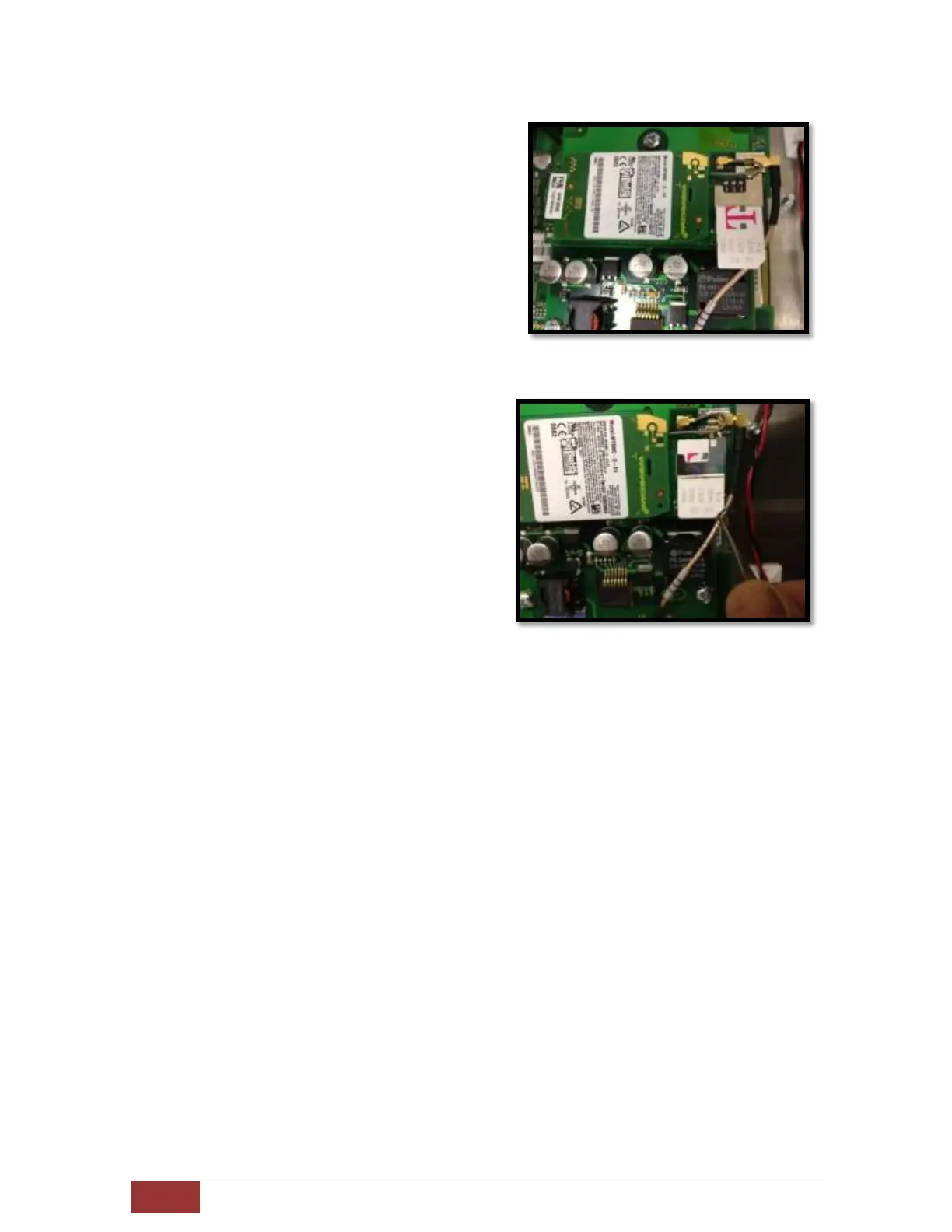
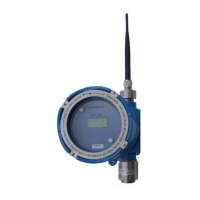
GPRS Cell Module is located on the right
side of the Display. Slide the SIM card
under the small metal frame. Note that
the angled-notch on the SIM card must
be facing down as shown in picture.
Push the SIM card gently all the way
under the metal bracket to secure. At
any time do not apply excessive force.
Now replace the back cover with care. Make sure the ribbon cable on top of the
display does not get pinched between the cover and the frame.
Secure the back cover with the mounting screws.
Reinstall power plugs, RJ45 data cable and any other cables/wires as were
originally installed.



 To Next Page