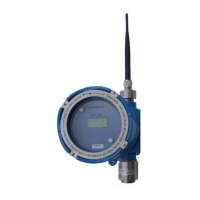
Operators Manual Model PT2000/H Series Gas Monitor Rev 2. January 2014
Table of Contents
Section Page #
1.0 Quick Setup Guide and Check List 5
2.0 Introduction 8
3.0 Setting Up PT2000 Wireless Controller 9
3.1 Installing SIM Card for Cell Phone Module 9
3.2 Installing External Panel Mount Antenna for Cell Module 11
3.3 Installing Antenna 11
3.4 Connection & Wiring Diagram for Audio / Visual Alarms 12
3.5 Main AC Power Connection 14
4.0 System Configurati 15
4.1 15
4.1.1 Site Name 16
4.1.2 Ethernet IP Address 16
4.1.3 Active # of Relay Modules 16
4.1.4 Alarm Bypass Time 16
4.1.5 Wireless Network or Zone ID 17
4.1.6 Call Out / Alarm Text Messaging 17
4.1.7 Enable/Disable Wireles 17
4.2 Channel / Sensor C 18
4.3 Configure A 19
4.4 Configure Rela 21
4.5 Modify Callou 22
4.6 Alarm 23
4.7 24
4.8 24
4.9 Display Backlight Timer 25
4.10 25
5.0 Normal Operation 26
5.1 Main Display Screen - Sensor Data 26
5.2 27
5.3 29
5.4 Alarm RESET & Ala 30
5.5 Alarm Callout 31
5.6 Remote Alarm B 32
6.0 Historical Data Logging 33
6.1 Interval Log 33
6.2 Event & Alarm Log 34



 To Next Page