Operators Manual Model PT2000/H Series Gas Monitor Rev 2. January 2014
In any gas alarm condition, following tasks are executed by the control panel.
1. Alarm relays will be activated according to the user setup as outlined in Alarm
Setup Section.
2. An event is generated in Historical Event Log to indicate the low or high or
both alarms have been activated by a particular channel.
3. If SMS is Enabled a text message is sent out to the mobile phones entered in
the phone callout list.
5.4 Alarm Reset and Bypass Buttons
Alarm RESET:
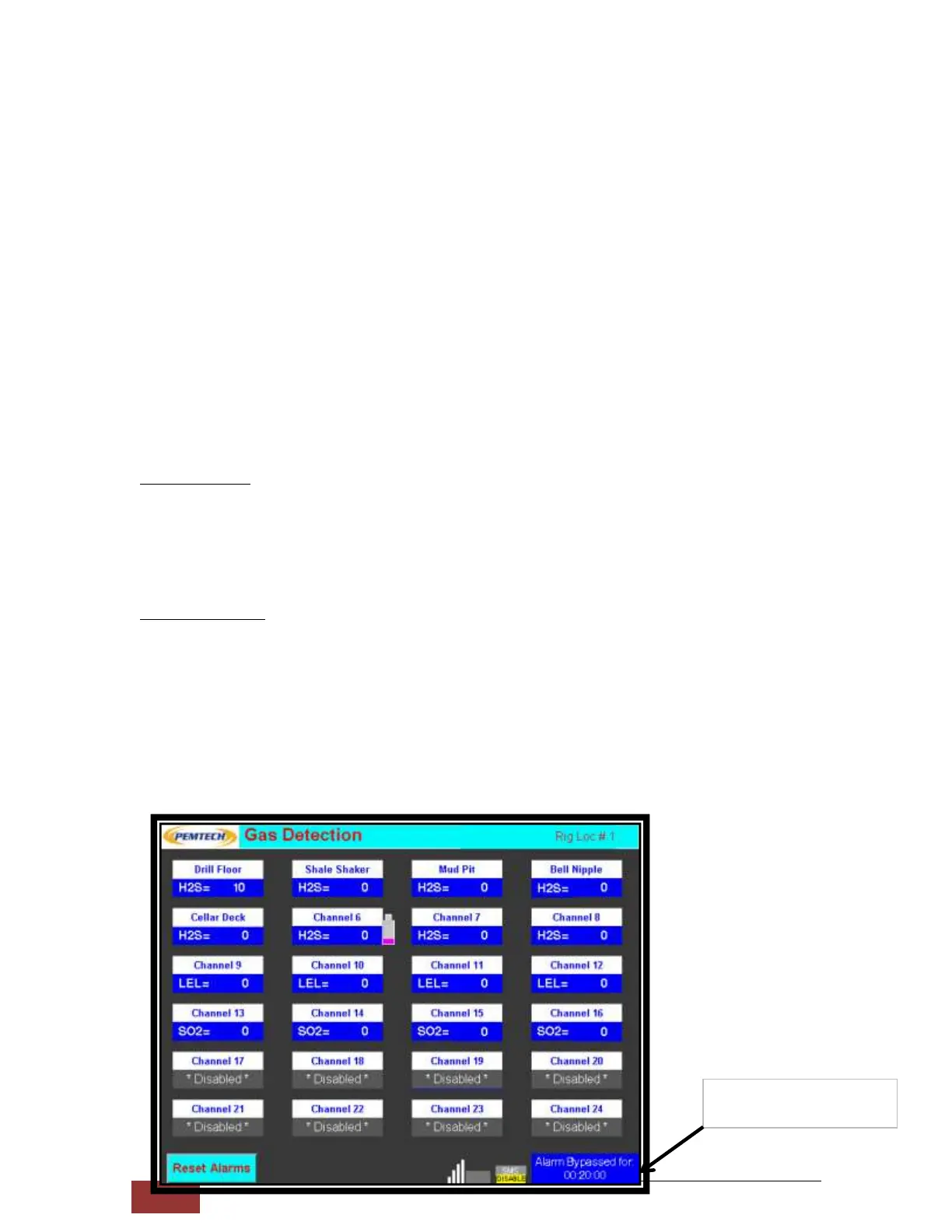
To Reset Alarm Relays simply press the RESET button on lower left of the Main Display
screen. However, if the gas level is still higher than the user defined alarm levels the
relays will be activated again. RESET button should be used either to deactivate
Latching Alarms or to Reset the Flashing Sensor tags (caused by channel in alarm).
Alarm BYPASS:
If alarms are currently active pressing the BYPASS ALARMS button will silence the A/V
alarms by deactivating the relays. The duration of ALRAM in BYPASS mode is set by
user in System Parameter section. If Bypass time is configured for 30 minutes then
after 30 minutes the BYPASS mode is automatically killed by the control panel and if
the alarm condition still exists the relays will be re-activated.
When the Bypass button is pressed a timer is initiated. The lower right corner of the
display screen will show the time remaining before the Bypass Time expires. To kill the
Bypass Mode prior to that simply press the RESET button.
Bypass Time Remaining
20 minutes



 To Next Page