Operators Manual Model PT2000/H Series Gas Monitor Rev 2. January 2014
6.5 View Interval Data Log
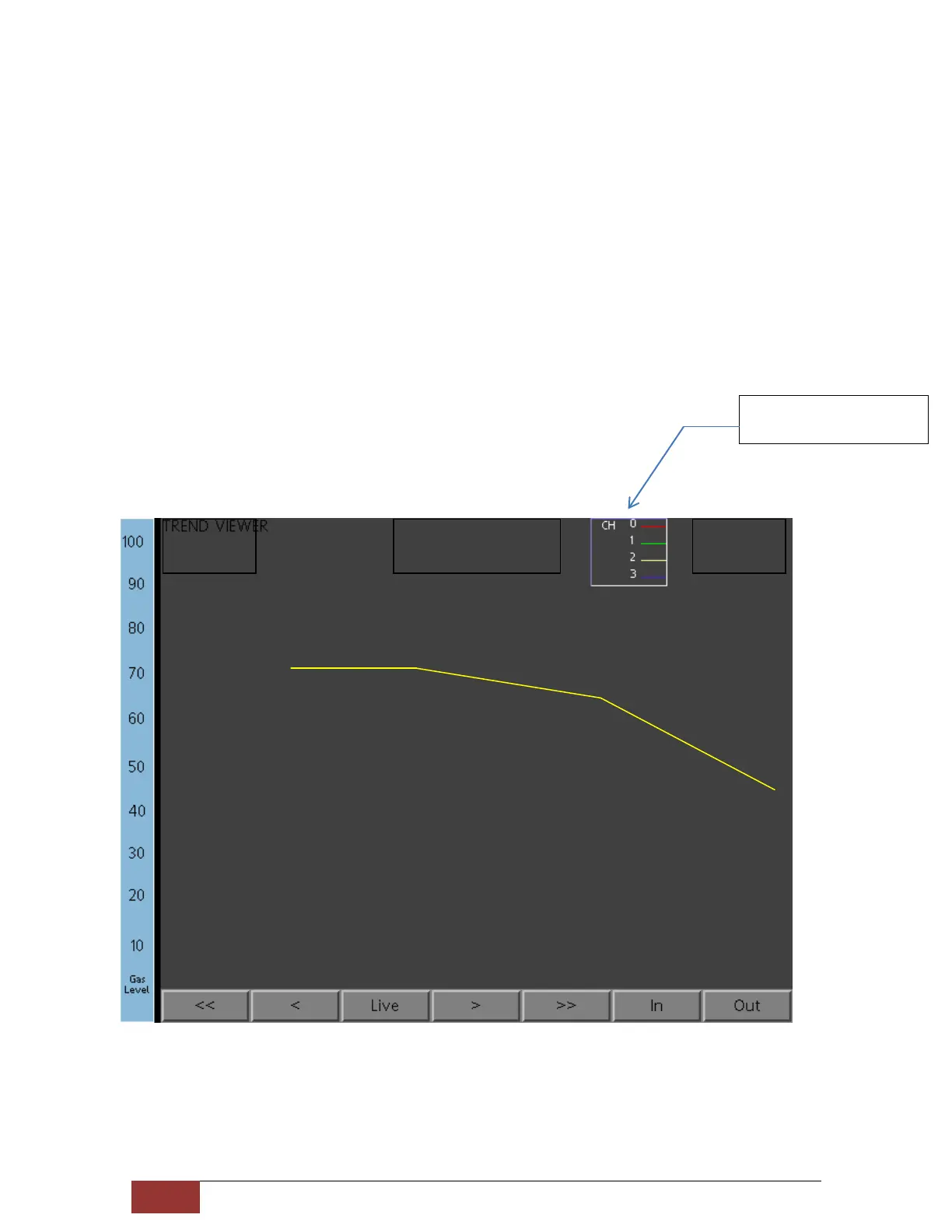
From the Main Menu screen Press to view the historical Data Log. The screen below
illustrates that channel 1 thru 4 are to be displayed in Live mode. Each Screen shot is
about 5 minutes in time. Use the buttons on bottom of the graph to span in / out or
zoom in / out of the time period specified on the screen.
Each graph for each channel is displayed in different color. Upper right area of the
screen shows the pen color and legends.
Press Legend Box to
switch to Other channels



 To Next Page