Operators Manual Model PT2000/H Series Gas Monitor Rev 2. January 2014
4.0 System Configuration and Setup
The procedure outlined in this section needs to be performed only during the startup
or at the time of installation. All configuration data is stored in a non-volatile memory
and is retained even after loss of power to the unit.
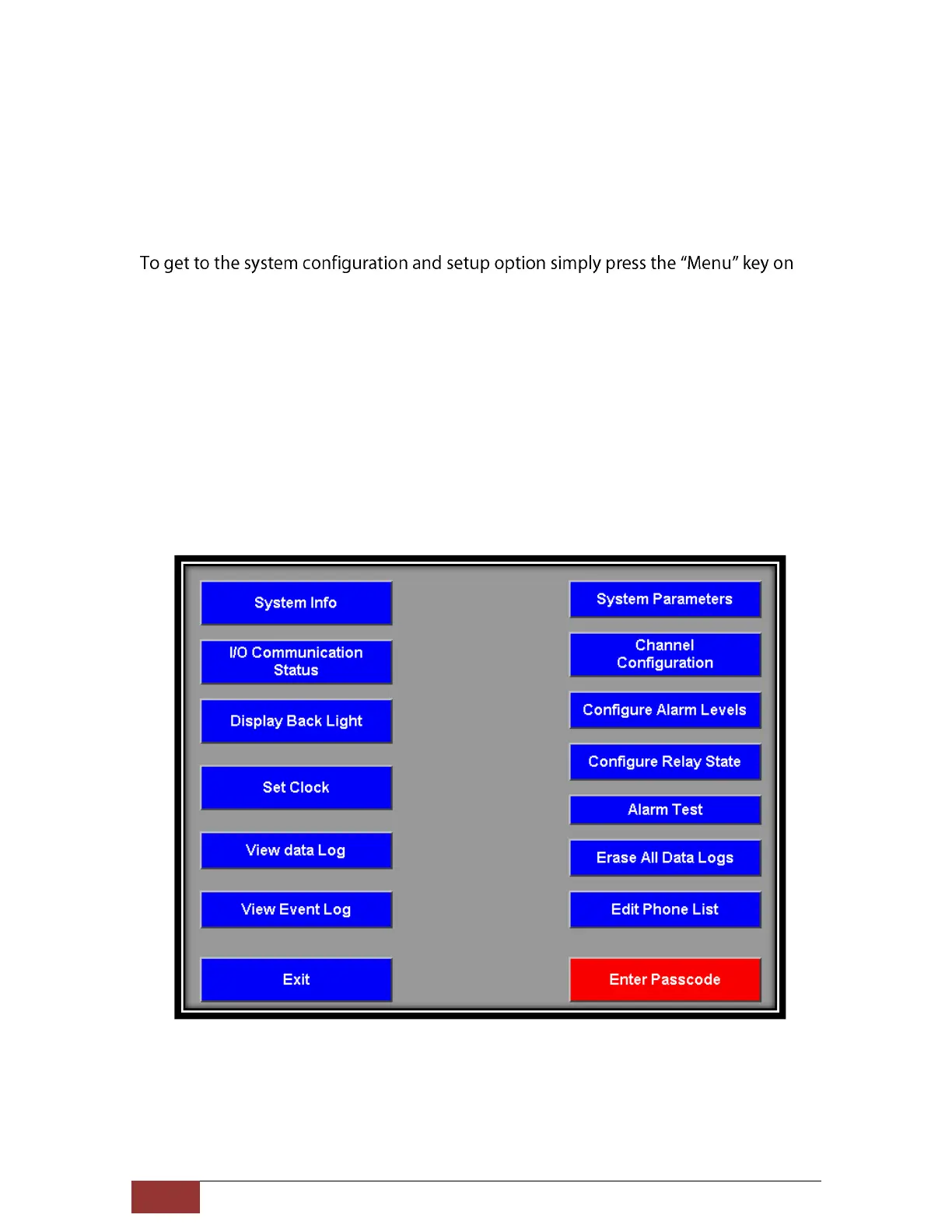
the display panel (bottom left side) and the following screen is displayed. In order to
access any of the system configuration options first the user passcode must be
entered. The user passcode is provided along with the packing slip of the unit or may
be found inside the unit enclosed at the time of shipping. Press the red Enter
Passcode button. Once a valid passcode is entered the Red button will disappear.
User can now access all the configuration options by simply pressing the desired
button. The passcode is valid for 10 minutes. After 10 minutes the unit will prompt to
enter the passcode again. Passcode is not required to view system Information, data
logs, I/O Communication Status and Clock setup.
Figure 4. Main menu for System Configuration



 To Next Page