Operators Manual Model PT2000/H Series Gas Monitor Rev 2. January 2014
The status bar on the bottom has 2 buttons one each for Alarm Reset and
Alarm Bypass. Also in the status bar indicated is the Mobile signal strength in
terms of number of Bars. Four (4) bars represent the signal level as excellent
whereas no bar indicates very weak or no signal form Mobile Phone tower.
If disabled the unit will not send any
Alarm Text Messages to the mobile phone configured in the phone call out list.
Upper right corner in the header is the location or Site name. This is simply a
text data field entered by the user.
5.2 Sensor Battery Levels / Voltages
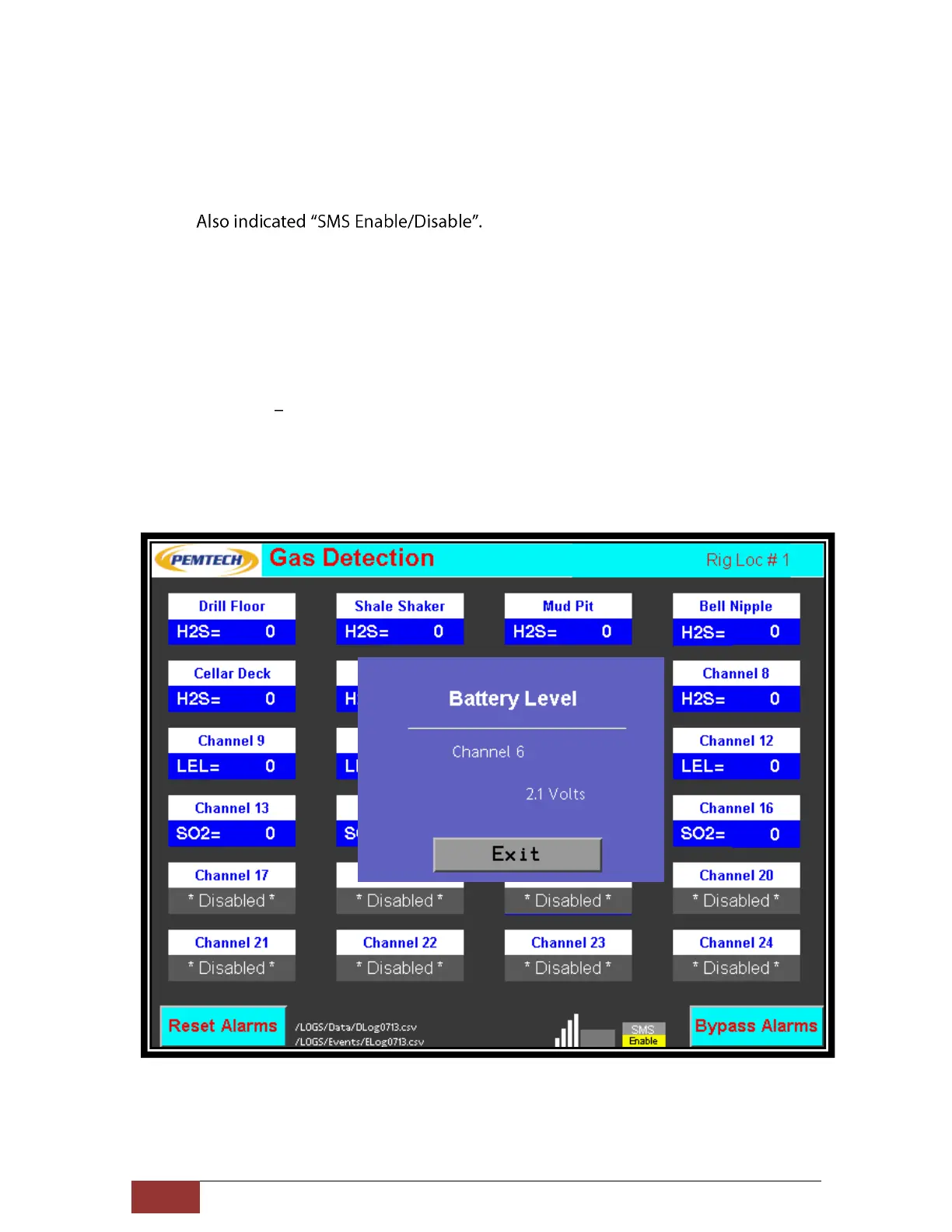
In figure 5 above Typical Main Display Screen, Channel 6 indicates a low battery icon.
The view the actual battery level or voltage for that channel simply press the Low
battery Icon and the battery voltage is displayed as illustrated in the following screen
shot.



 To Next Page