EasyManua.ls Logo

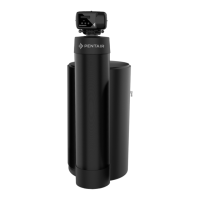
Pentair Riversoft - User Manual

Pentair Riversoft
132 pages
Print Icon
To Next Page IconTo Next Page
Loading...
Riversoft
Water Softener
Riversoft_368_604-606_UG_VX_Multilingual.book Page 1 Jeudi, 18. juin 2020 3:38 15

Other manuals for Pentair Riversoft

Questions and Answers

  • B
    Beverly CoxSep 10, 2025
    What causes a Pentair Water Dispenser brine tank to overflow?
    • K
      khartSep 10, 2025
      If your Pentair Water Dispenser's brine tank is overflowing, it could be due to a couple of reasons. First, it might be caused by an improper drain control for the injector. Using a small drain control with a larger injector will reduce draw rates. Another potential cause is a drain control clogged with resin or other debris, so you should clean the drain control.
  • Q
    qbeasleySep 12, 2025
    What does error E3 mean on my Pentair Water Dispenser?
    • S
      Stephen KingSep 12, 2025
      If your Pentair Water Dispenser displays an "E 3" error, it indicates that the controller isn't detecting the camshaft position and is returning to the service position. Wait until the controller returns to the service position. If the camshaft is not turning during the "E 3" display, check if the motor is connected, verify that the motor wire harness is connected to both the motor and the controller module, verify if the optical sensor is connected and in place and verify if the motor gear has engaged the camshaft. If the camshaft is turning more than 5 minutes to find Home position, verify if the optical sensor is in place and connected to wire and inspect for debris in the camshaft slots.
  • A
    Ashley TerrySep 14, 2025
    What does E2 error mean on Pentair Water Dispenser?
    • J
      Jason GrahamSep 14, 2025
      If your Pentair Water Dispenser is showing an "E 2" error, it means the controller power doesn't match 50 or 60 Hz. Try disconnecting and reconnecting the power. If the problem persists, you may need to replace the controller and/or AC transformer.
  • J
    janicegordonSep 16, 2025
    What does error E1 mean on my Pentair Water Dispenser?
    • M
      Michael DavisSep 16, 2025
      If your Pentair Water Dispenser displays error "E 1", it indicates that the program settings have been corrupted. Press any button to see if the error clears. If "E 1" persists, the controller needs to be replaced.

Summary

Generalities

Scope of Documentation

Provides information for proper use, installation, operation, and maintenance.

Release Management

Tracks revisions, dates, authors, and descriptions of document changes.

Manufacturer and Product Identification

Identifies the manufacturer and the specific product model.

Applicable Norms and Standards

Lists relevant directives, regulations, and technical standards the product complies with.

Limitation of Liability

Safety

Serial and Safety Tags Location

Shows the location of serial and safety tags on the device.

Hazards

Personnel Safety

States that only qualified personnel should perform work on the device.

Transport Safety

Provides instructions for safe handling and transport of the softener.

Material Handling Precautions

Warns about high voltages and moving parts, advising caution during handling.

Hygiene and Sanitization

Sanitary Checks and Storage

Details preliminary checks and storage requirements for hygiene.

Hygiene Measures

Description

Technical Specifications

Provides general technical specifications for the Riversoft water softener.

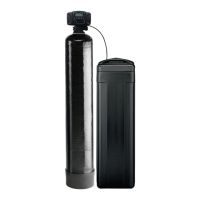
General Softener Description

Performance Flow Rate Characteristics

Outline Drawings

Installation

Installation Environment

Details requirements for the installation location and water testing.

General Installation Guidelines

Provides general installation guidelines, including salt type and water quality.

Softener Connection to Piping

Recommends a pre-filter and mandatory installation according to codes.

Installation Layout

Water Supply Line Connection

Programming

Display Overview

Explains the device display, including digits, flow indicator, and regeneration indicator.

Controller Commands

Setting Time of Day

Setting Brine Dosage

Setting Volumetric Regeneration

Calendar Override Setting

System Selection

Startup

Operation

Operation Display

Details controller display information during normal operation, including time and flow indicator.

Regeneration Display

Explains controller display indicators during the regeneration process.

Manual Regeneration Procedures

Procedures for initiating manual regeneration, delayed or immediate.

Maintenance

General System Inspection

Mandates annual inspection of the softener system for proper functioning.

Maintenance Instructions

Recommends annual disinfection and cleaning, or if water quality issues arise.

Adding Salt

Provides instructions and tips for adding salt to the brine tank.

Troubleshooting

Pentair Riversoft Specifications

General IconGeneral
BrandPentair
ModelRiversoft
CategoryWater Dispenser
LanguageEnglish

Related product manuals