239
Appendix
10
4
Press the four-way controller (2)
to select [Start cleaning], and
press the 4 button.
The shutter is locked open.
5
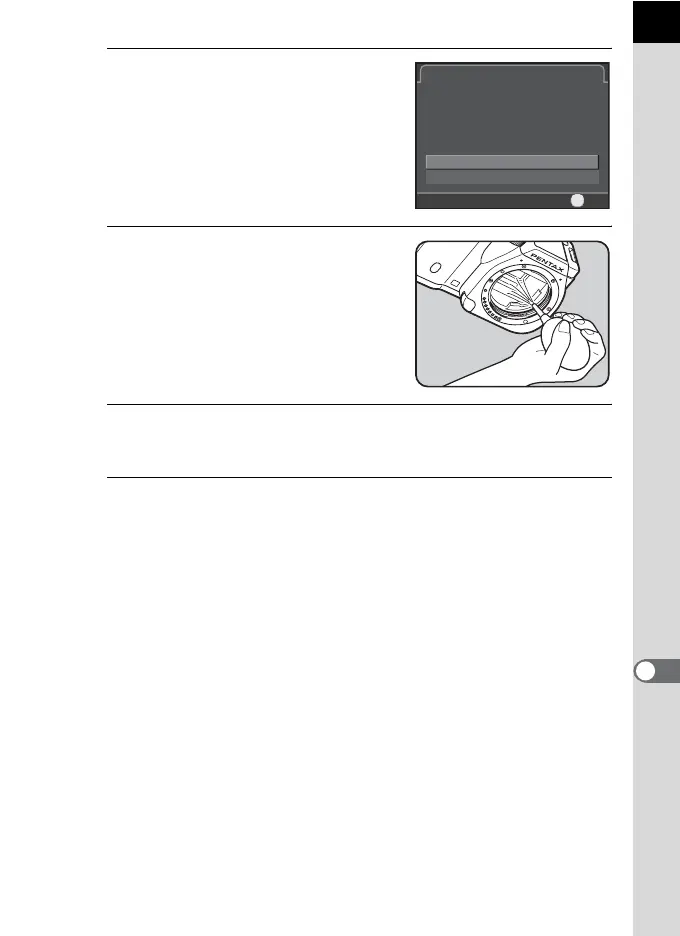
Clean the CMOS sensor.
Use a brush-less blower to remove dirt
and dust from the CMOS sensor. Using a
blower with a brush may scratch the
CMOS sensor. Do not wipe the CMOS
sensor with a cloth.
6
Turn the camera off.
The shutter is closed.
7
Attach the lens or body mount cover.
Sensor Cleaning
Opens shutter to access sensor
Opens shutter to access sensor
for cleaning. When finished, turn
for cleaning. When finished, turn
the camera off to close shutter
the camera off to close shutter
Cancel
Start cleaning
OK
OK



 To Next Page