167
4
Playing Back and Deleting Images
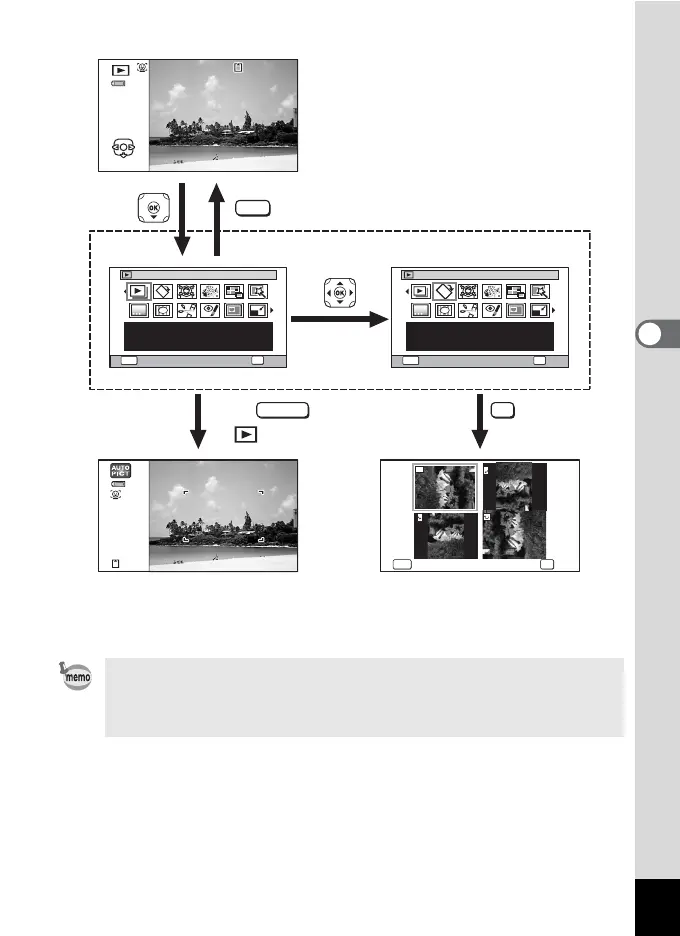
• When the frame is placed over an icon on the Playback Mode Palette,
a guide for that function appears.
• You can turn the guide display off for the function on the Playback
Mode Palette (p.254).
MENU
1/2
MENU
1/2
MENU
100
-
0038
100
-
0038
38
Slideshow
Cancel
OK
OK
For continuously playing
back images. Screen or
sound effects can be set
Image Rotation
Cancel
OK
OK
Rotates captured images.
Useful when viewing
vertical images on a TV
Cancel
OK
OK
Edit
OK
MENU
SHUTTER
Goes to the screen for
selected playback function.
Closes the Playback Mode
Palette and goes to A mode.
or
Press halfway



 To Next Page
 Loading...








