270
8
Connecting to a Computer
Transfer the images captured with the camera to your Windows PC.
5
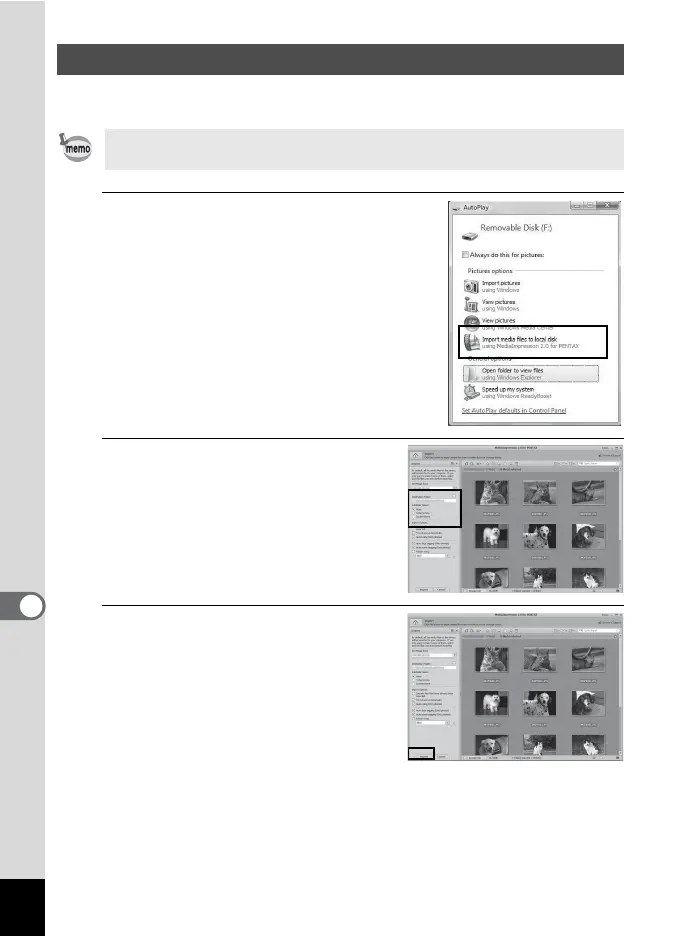
Click [Import media files to
local disk].
The “MediaImpression 2.0 for
PENTAX” starts.
6
Set up [Destination Folder] and
select [Subfolder Name].
7
Select the image you want to
copy, then click [Import].
The selected images are copied to the
PC.
Transferring Images
If there is no SD Memory Card in the camera, the images stored in the
built-in memory will be transferred to your Windows PC.



 To Next Page
 Loading...








