Instructions for changing the focusing screen for XF Cameras with
a serial number higher than RA003841.
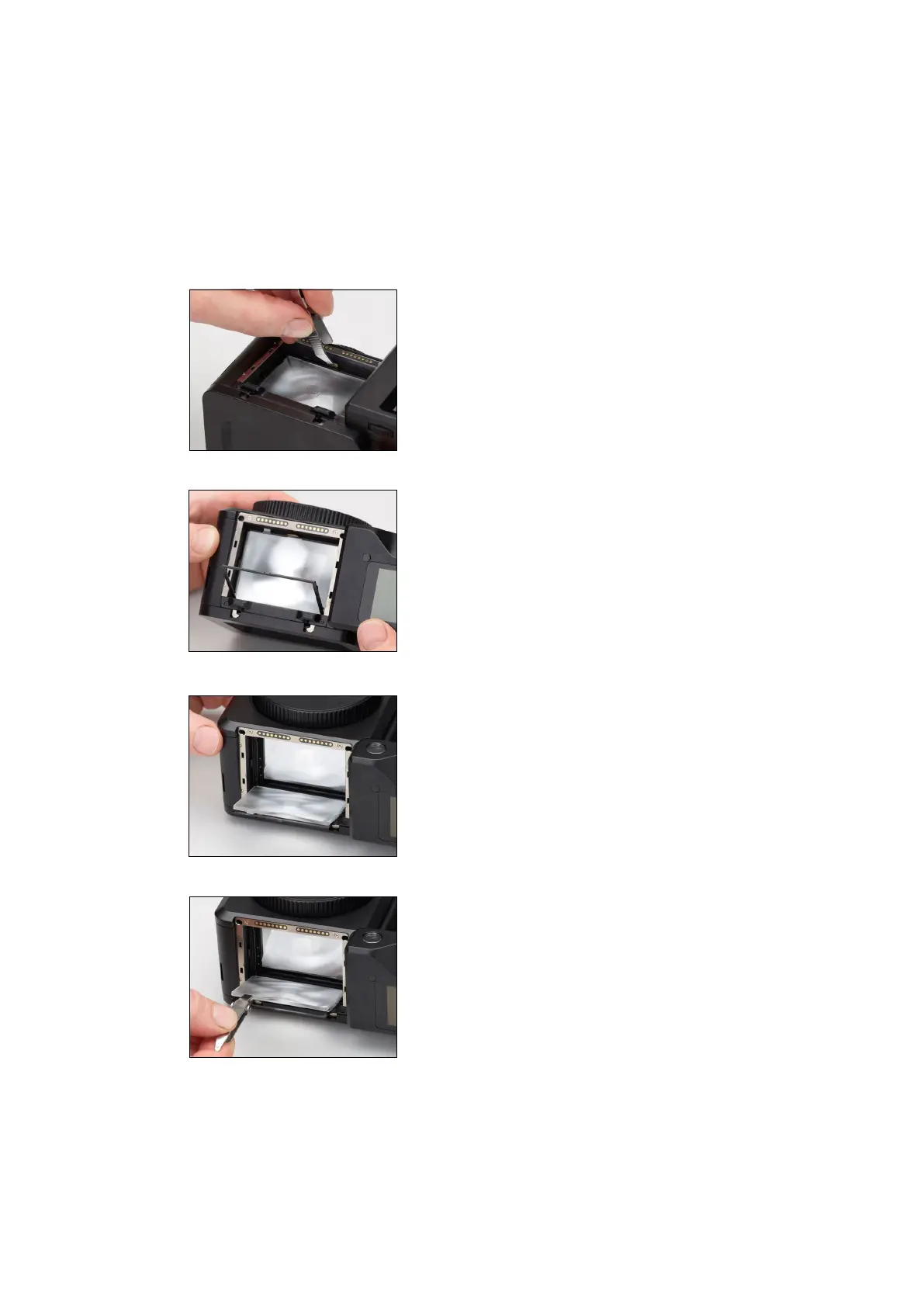
Remove the digital back and lens from the XF Camera Body. Next, remove the
prism viewfinder or waist level viewfinder from the XF Camera.
Locate the focusing screen frame release lever and push it towards the lens
mount with the supplied tweezers. This will release the focusing screen and its
frame.
Slowly tilt the XF Camera Body backwards until the focusing screen frame tilts
out and downwards.
Continue with the tilting movement until the focusing screen follows the frame
down, then rest the camera body on its back.
Carefully remove the focusing screen from its frame by grasping the tab on
the edge of the screen with the tweezers. Make sure that you do not scratch
or touch the focusing screen while doing so.
Instructions continues on next page...
129System Maintenance 129XF IQ4 Camera System Manual |



 To Next Page