13
REFRIGERATOR COMPONENTS
Inside of front cover
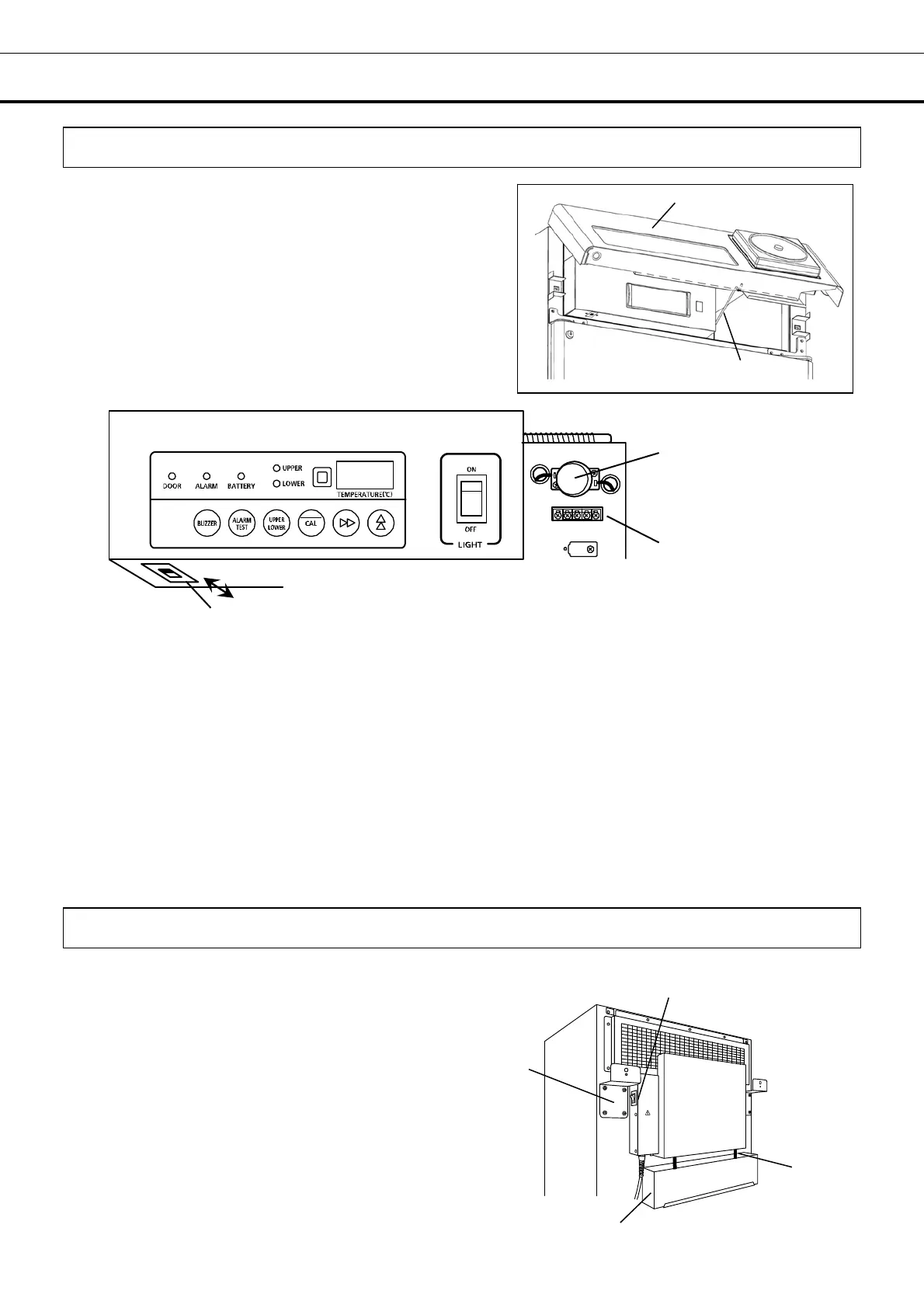
The glow starter, remote alarm terminal and the battery
switch are accessible by opening the front cover.
To open the front cover, put a hand on the lower both
sides of the front cover and lift it up.
Support the front cover with the stopper (refer to the
right figure) when open the front cover.
1. Glow starter (inside the drip-proof cover)
This is a glow starter for a fluorescent lamp. It
is recommended to replace the glow starter at
the time of the replacement of fluorescent lamp.
For the replacement, see page 30.
2. Remote alarm terminal
A remote alarm device (marketed product) can
be connected to this terminal. The alarm is
noticed to an operator in the remote area by the
remote alarm. Refer to page 20 for the details.
3. Battery switch:
This is a ON/OFF switch for the battery for
power failure alarm. Always turn on this switch
whenever the refrigerator is running to ensure
the alarm in the event of power failure. Turn off
this switch when the refrigerator is not operated
for long period to protect the battery.
Back of the unit
1. Power switch
This is a power switch of the unit. ”
l”: ON, ”O”: OFF
2. Evaporating pipe
3. Evaporating tray
The water from the evaporator is accumulated and
vaporized by the evaporating pipe in this tray. Refer to
page 28 for the cleaning.
4. Spacer
The space between the unit and the wall is maintained by
this spacer. Also, the spacer can be used to fix the unit to
the wall with a rope or chain. [page 15]
3
OFF
ON
1
2
Front cover
Stopper
4
1
3
2



 To Next Page