16
PREPARATION OF MONITOR BOTTLE
Before start-up of the operation, fill the monitor bottles (upper and lower) with 10% glycerol fluid or water
by the procedure below. For the location of monitor bottle, refer to page 10.
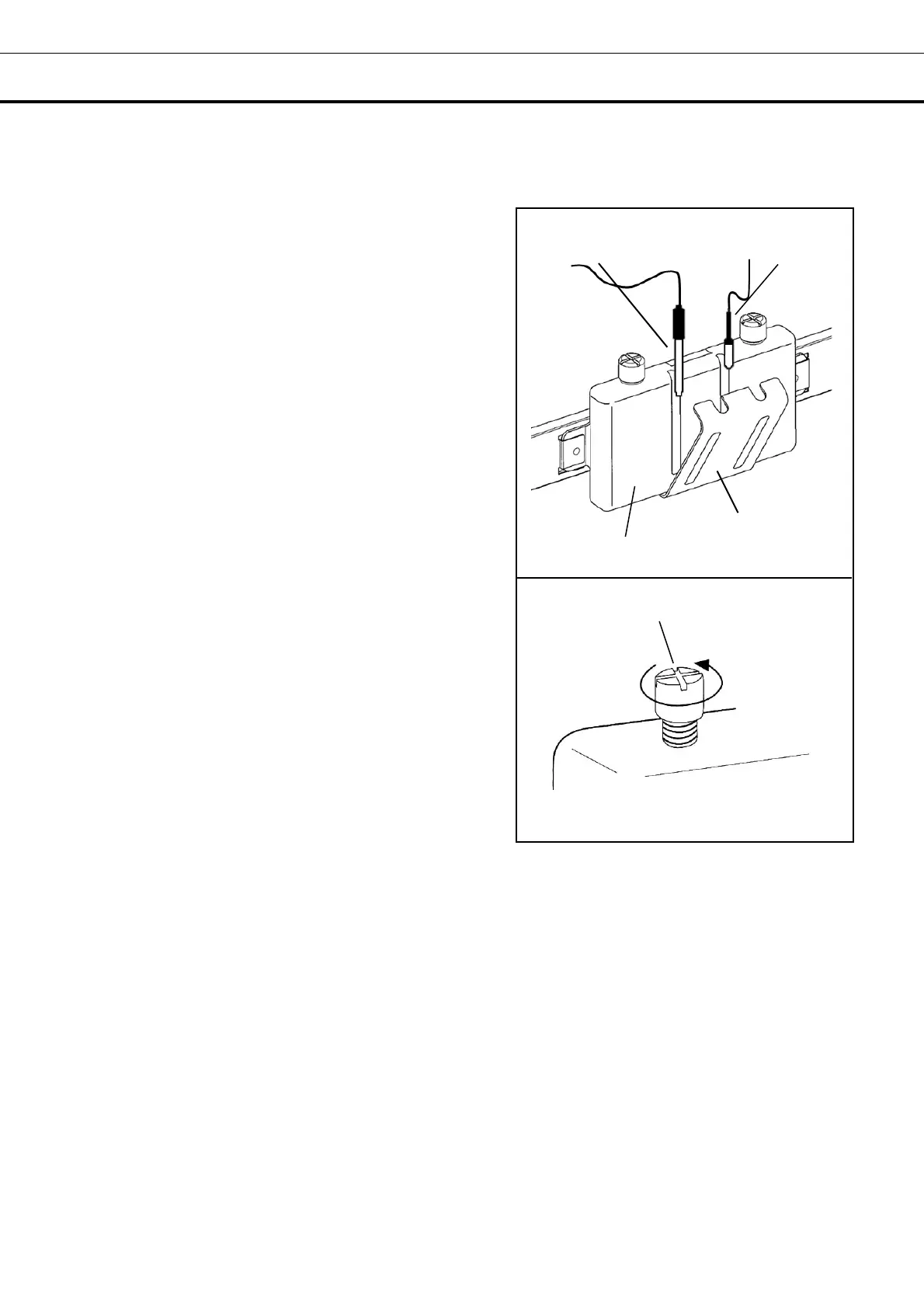
1. Remove the cover on the monitor bottle.
The cover is fixed by the upper and lower clicks. It can
be removed by pulling the upper side forward as shown in
Fig. 1.
2. Take out the sensor for temperature display from the
monitor bottle.
The sensor for temperature display is not fixed,
therefore it is removed together with the cover.
Take out the recorder sensor as well from the upper
monitor bottle.
3. Take out the monitor bottle from the fixing plate by lifting
up.
4. Remove the cap (screw type) on the monitor bottle as
shown in Fig. 2.
5. Pour 10% glycerol fluid or water of 200 mL (marking on
the bottle) into the monitor bottle.
The displayed chamber temperature cannot be accurate
if the fluid in the monitor bottle is low. Check the fluid
volume regularly.
6. Cap the monitor bottle and replace the monitor bottle to
its original location on the fixing plate.
7. Set the sensor for temperature display to the monitor
bottle and replace the cover.
Set the recorder sensor as well to the upper monitor
bottle.
Cove
Recorder sensor
(upper monitor bottle)
Sensor for
temp. display
Fig. 1
Loosen
Cap
Fig. 2
Monitor bottle



 To Next Page