24
RUNNING OPERATION (MENU/Set)
Alarm delay time setting (Alarm Delay)
The setting range for delay time is between 0 minute and 15 minutes.
When 0 is set, the buzzer sound
without delay. The factory setting is 15 minutes. Table 4 shows the basic procedure for setting the
alarm delay time. (Example: Alarm delay time is changed from 15 minutes to 10 minutes.)
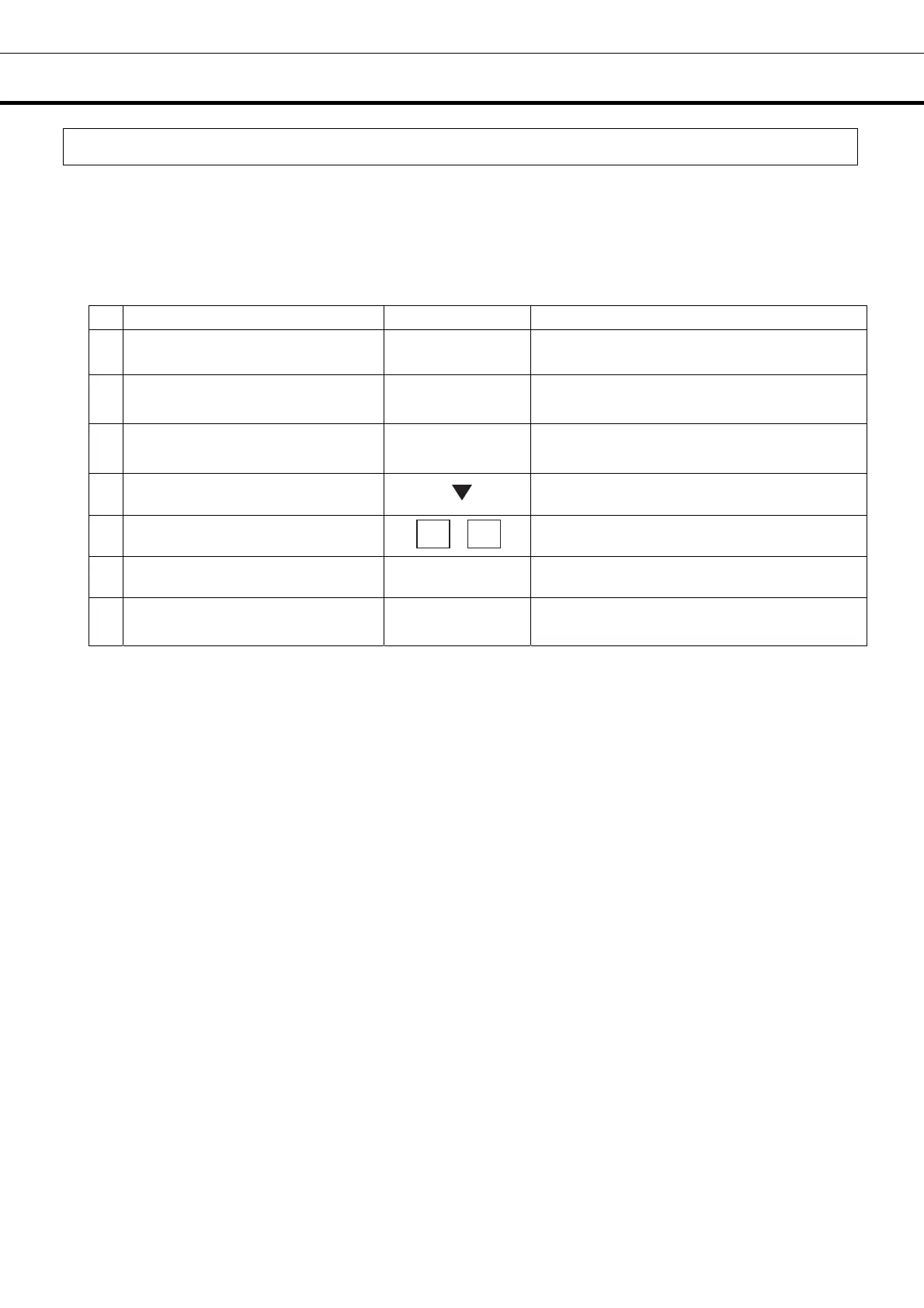
Table 4. Procedure for setting alarm delay time (Change from 15 minutes to 10 minutes)
Description of operation Key operated Indication after operation
1 ----- Top screen is displayed.
2 Press the MENU button. MENU
The menu window is indicated. And the
“set” is highlighted.
3 Press the ENTER key. ENTER
Temp. Setting screen is indicated. And
set value of temperature is highlighted.
4
Select Alarm Delay by pressing
shift key (downward).
The set value 15 of the alarm delay time
(Alarm Delay) is highlighted.
5
Figure input key is pressed in order
of 1 , 0.
Alarm delay time (ALARM Delay) is
changed from 15 to 10.
6 Press the MENU button. MENU
The menu window is indicated. And the
“OK” is highlighted.
7 Press the ENTER key. ENTER
Alarm delay time is memorized, and the top
screen is indicated.
Note:
The setting mode returns to the temperature display mode automatically when 90 seconds has passed
without any key operation. In this case, any setting is not memorized before finishing the final step.
1
0




 To Next Page