33
VARIOUS SETTING (MENU/Tools)
Set of date and time (Tools/Date Time)
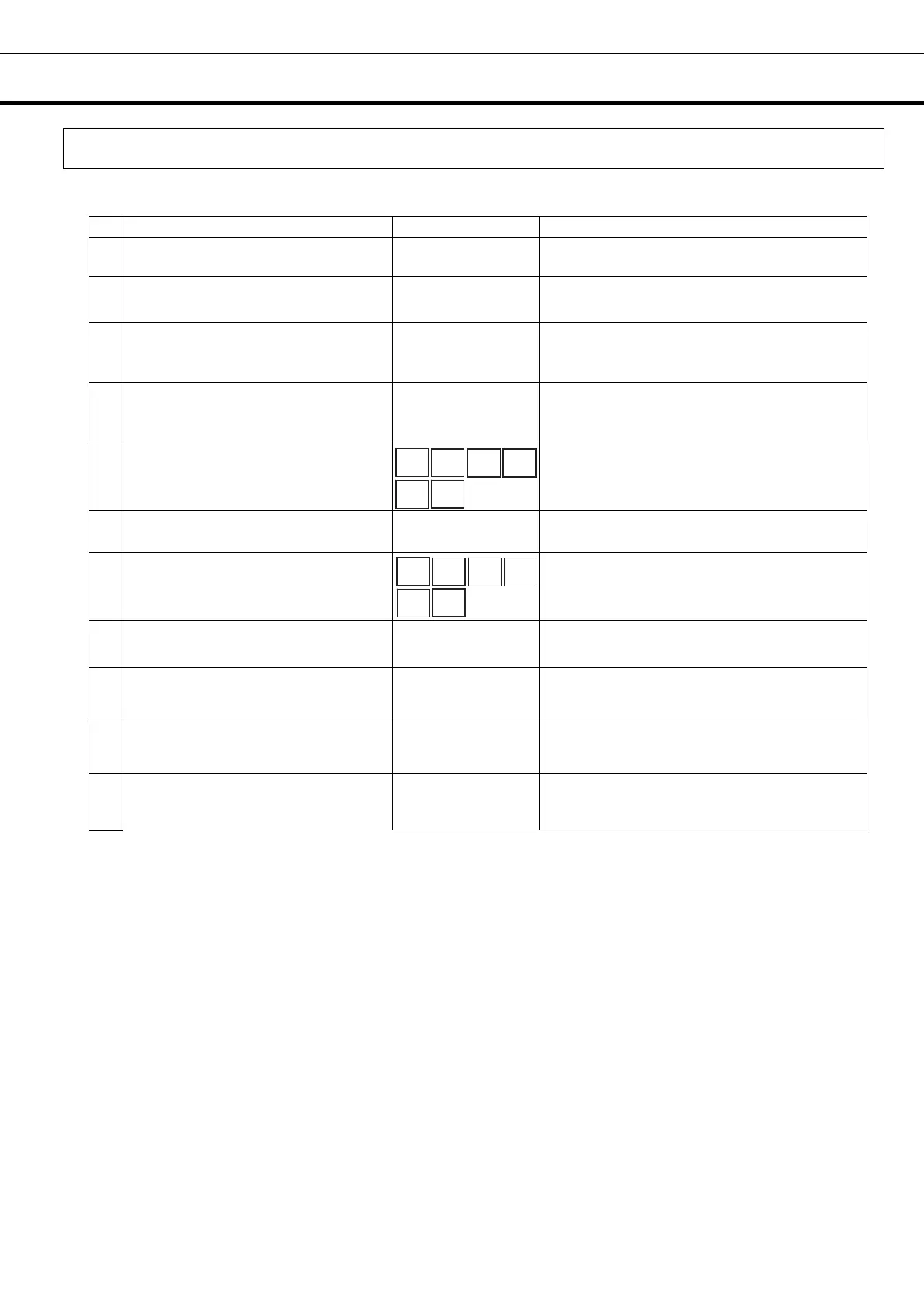
Table 10. Setting of date and time (When time is set up at 12:00:00 on December 1, 2010 )
Description of operation Key operated Indication after operation
1 -----
Top screen is displayed.
2
Press the MENU button.
MENU
The menu window is indicated. And the
“set” is highlighted.
3
Press the shift key (downward),
highlight the “Tools” menu window,
and press the ENTER key.
▼
ENTER
Select Tools screen is indicated.
4
Select Date by pressing shift key
(downward) and press the Enter
key.
▼
ENTER
The Date Time screen is indicated.
5
Figure input key is pressed in order
of 1, 0, 1, 2, 0, 1.
The numerical value of the date is
changed to 10/12/01.
6
Select Time by pressing shift key
(downward).
▼ Time is highlights.
7
Figure input key is pressed in order
of 1, 2, 0, 0, 0, 0.
The numerical value of the time (Time) is
changed at 12: 00:00.
8
Press the MENU key. MENU
The menu window is indicated. And the
“OK” is highlighted.
9
Press the ENTER key. ENTER
The date and time is memorized, and the
Select Tools screen is indicated.
10
Press the MENU key. MENU
The menu window is indicated. And the
“OK” is highlighted.
11
Press the shift key (downward) to
highlight “Cancel” in the menu
window, and press the ENTER key.
ENTER Top screen is indicated.
1
0 1
2
0 1
1
2 0
0
0
0









 To Next Page