26
3 Press OPTIONS to exit to the EPG
options menu.
Use timers
You can set timers to switch the TV to standby
at a specied time.
Automatically switch the TV to
standby (sleeptimer)
Sleeptimer switches the TV to standby after a
pre-dened period of time.
Tip
You can always switch off your TV earlier or •
reset the sleeptimer during the countdown.
1 When watching TV, press (Home).
The home menu appears. »
2 Press the Navigation buttons to select
[Setup]
3 Press OK.
The » [Setup] menu appears.
4 Press the Navigation buttons to select
[Features] > [Sleeptimer].
The » [Sleeptimer] menu appears.
5 Press the Navigation buttons to set the
sleep time.
The sleep timer can be up to 180 »
minutes, in steps of ve minutes. The
sleep timer is switched off if set to
zero minutes.
6 Press OK to activate the sleeptimer.
The TV switches to standby after the »
set period of time.
7 Press BACK to exit or press
(Home) to return to the home menu.
3 Press INFO to exit back to the original
channel or press
BACK to exit to the
EPG menu.
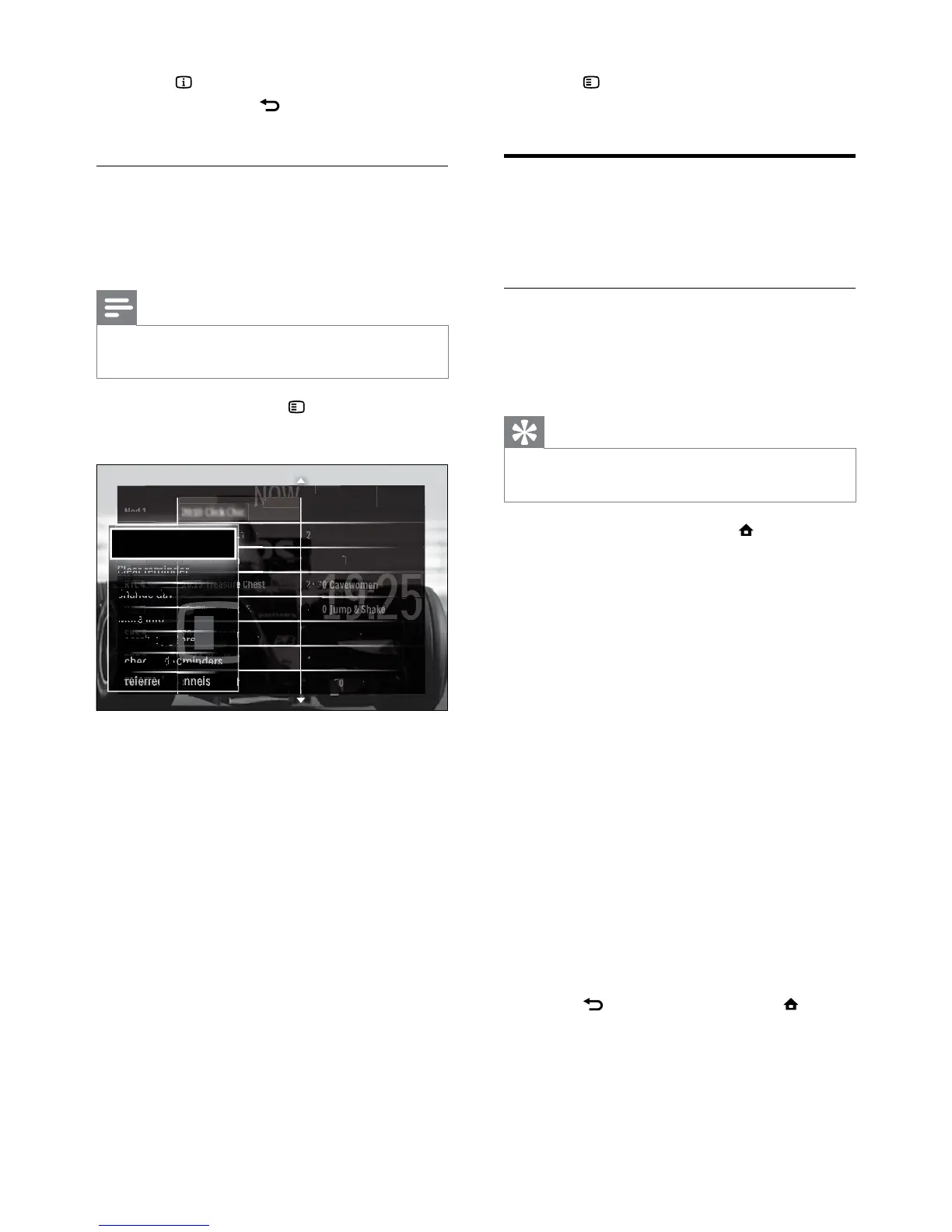
Use the EPG options menu
Use the EPG options menu to set or clear
reminders, change day and access other useful
EPG options.
Note
The EPG options are only accessible for 8 days •
of TV channel information.
1 When in EPG, press OPTIONS.
The EPG options menu appears. »
2 Press the Navigation buttons and OK to
select and adjust:
• [Set reminder]Sets programme
reminders.
• [Clear reminder]Clears programme
reminders.
• [Change day]Sets the EPG day.
Select [Today], [Next day] or
[Previous day].
• [More info]View programme
information.
• [Search by genre]Searches TV
programmes by genre.
• [Scheduled reminders]Lists
programme reminders.
• [Preferred channels]Sets preferred
EPG channels.



 To Next Page