3 Your product
Congratulations on your purchase, and
welcome to Philips! To fully benet from the
support that Philips offers; register your product
at www.philips.com/welcome.
Product overview
This section gives you an overview of
commonly used controls and functions.
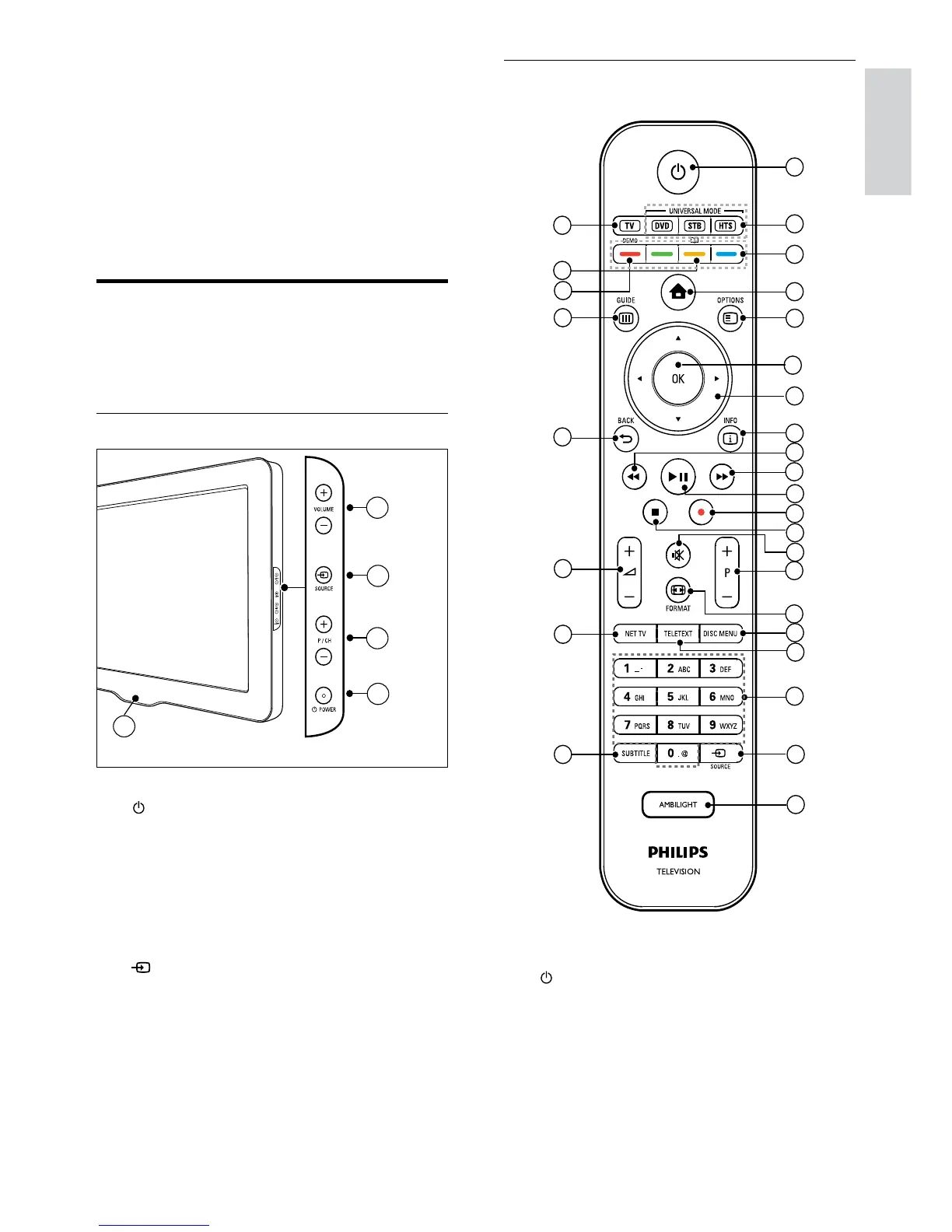
Side controls and indicators
a POWER: Switches the product on
or off. The product is not powered
off completely unless it is physically
unplugged.
b P/CH +/-: Switches to the next or
previous channel.
c
SOURCE: Selects connected devices.
d VOLUME +/-: Increases or decreases
volume.
e LightGuide: Front LED indicator



 To Next Page