52
Set TV speakers to EasyLink mode
When enabled, this feature automatically
turns off TV speakers when content from an
EasyLink-compliant home theatre system is
played. Audio is played only from the home
theatre system’s speakers.
1 When watching content from an EasyLink
device, press
OPTIONS.
The options menu appears. »
2 Press the Navigation buttons to select
[TV speakers].
The » [TV speakers] menu appears.
3 Press the Navigation buttons to select
[Automatic (EasyLink)].
4 Press OK to conrm your choice.
The TV speakers are set to EasyLink »
mode.
5 Press OPTIONS to exit.
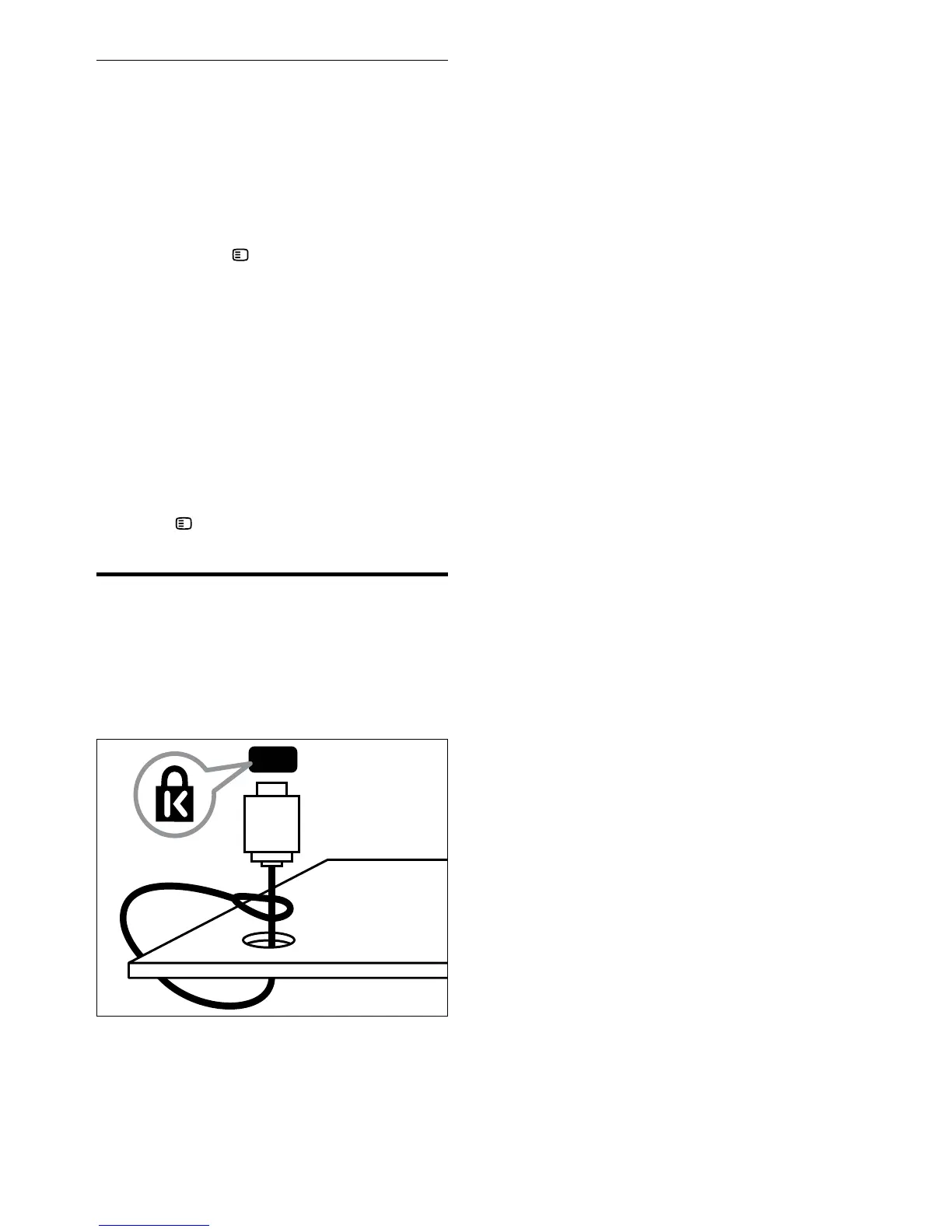
Use a Kensington lock
There is a Kensington security slot at the back
of the TV. Prevent theft by looping a Kensington
lock between the slot and a permanent object,
such as a heavy table.
EN



 To Next Page