11
English
elect
Picture
o
icture
y press
ng
o
at
s t
e most
p
eas
ng to you, t
en press
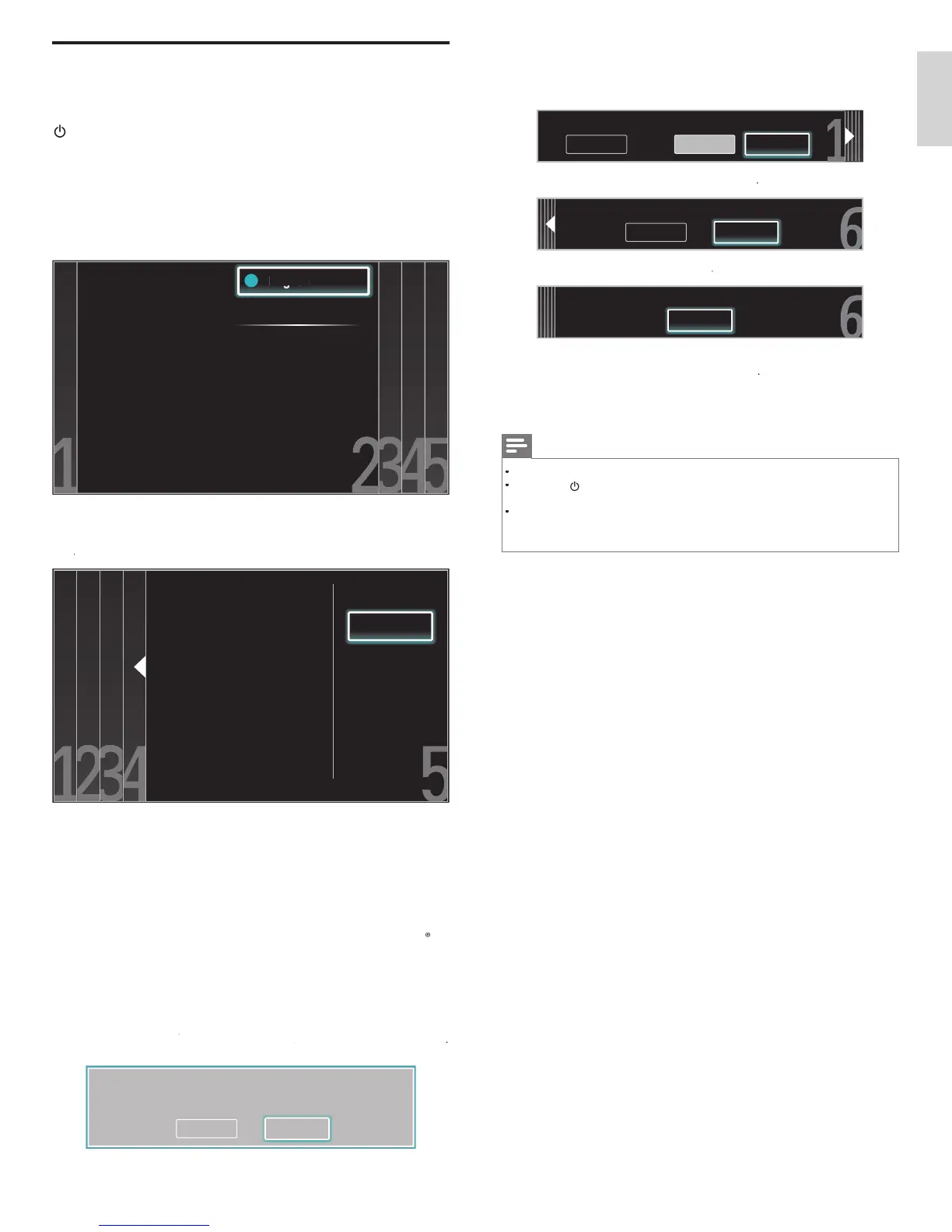
. You see 5 different pictures to be
comp
ete
Cancel
Picture A
Picture B
Which side of the picture do you prefer?
ress
to se
ect
Store
, t
en
ress
Cancel
Store
Store your preferences.
ress
to fi nish
Settings assistan
Exit
The TV has learned your preferences.
ress
Æ
to se
ect
inis
, t
en press
inish the Setu
Note
If you are not receiving a signal from your cable service, contact the CATV provide
.
If you press
ur
ng autoprogram, an
nsta
at
on w
e cance
e
except t
e
anguage
e
ect
on
The initial autoprogram function can be executed for eithe
ntenn
o
able
nly once. When you change the connection (Antenna / Cable), set autoprogram again
(Refer to page 26.)
Switching on and set up the TV
Before you switch on the TV, check that the AC power cord is properly
onnecte
.
ress
.
OWE
at the right side of the TV, or press
(Standby-On) on the remote control. The TV normally takes 25-30
seconds to start up and the following screen appears the fi rst time you
urn on t
e
fter
ou read a welcome screen, follow the on-screen instructions
o se
ect
our
an
ua
e an
com
ete
our
setu
.
nsta
at
on ta
es
a
roximatel
20 minutes
Select your menu
language with the
Up/Down buttons on
your remote control,
press the OK button to
proceed.
●
●
●
English
Français
Español
ress
o select the desired mode for ener
savin
, then
ress
Retail store
Home
Location Home is recommended
for normal home use. In the
Retail Store location all settings
are fixed.
elect
etai
store
if you want backlight to be brighte
.
elect
ome
to re
uce t
e
ower consum
t
on
ou must set
ome
. Otherwise, the settings of picture and sound
quality you adjusted will not be memorized after you turn off the unit
elect
etai
store
, the unit will be set u
with
redefi ned settin
for retail dis
la
s. In this settin
, the
ower consum
tion ma
ossibl
exceed the limited re
uirement of the ENERGY STA
ualifi cation
elect
ome
, the unit is set to maximize the energy effi ciency fo
home setting and it can be adjusted through a choice of picture
and sound quality according to your preference
ress
o
o se
ect
Star
, t
en press
ettin
s assistant will allow
ou to customize
our picture settin
s to
our personal preference. You will see a series of test pictures where
the ri
ht side and left side differ. Select the side that is most pleasin
to
ou with the Left/Ri
ht buttons
ancel
tart
EN











 To Next Page