28
9 Connect devices
his section describes how to connect various devices with different
onnectors and supplements examples provided in the Quick Start
PC
-
IN
RGB
SERVICE
ONLY
b
e
f
g
h
i
j
k
c
*
a
d
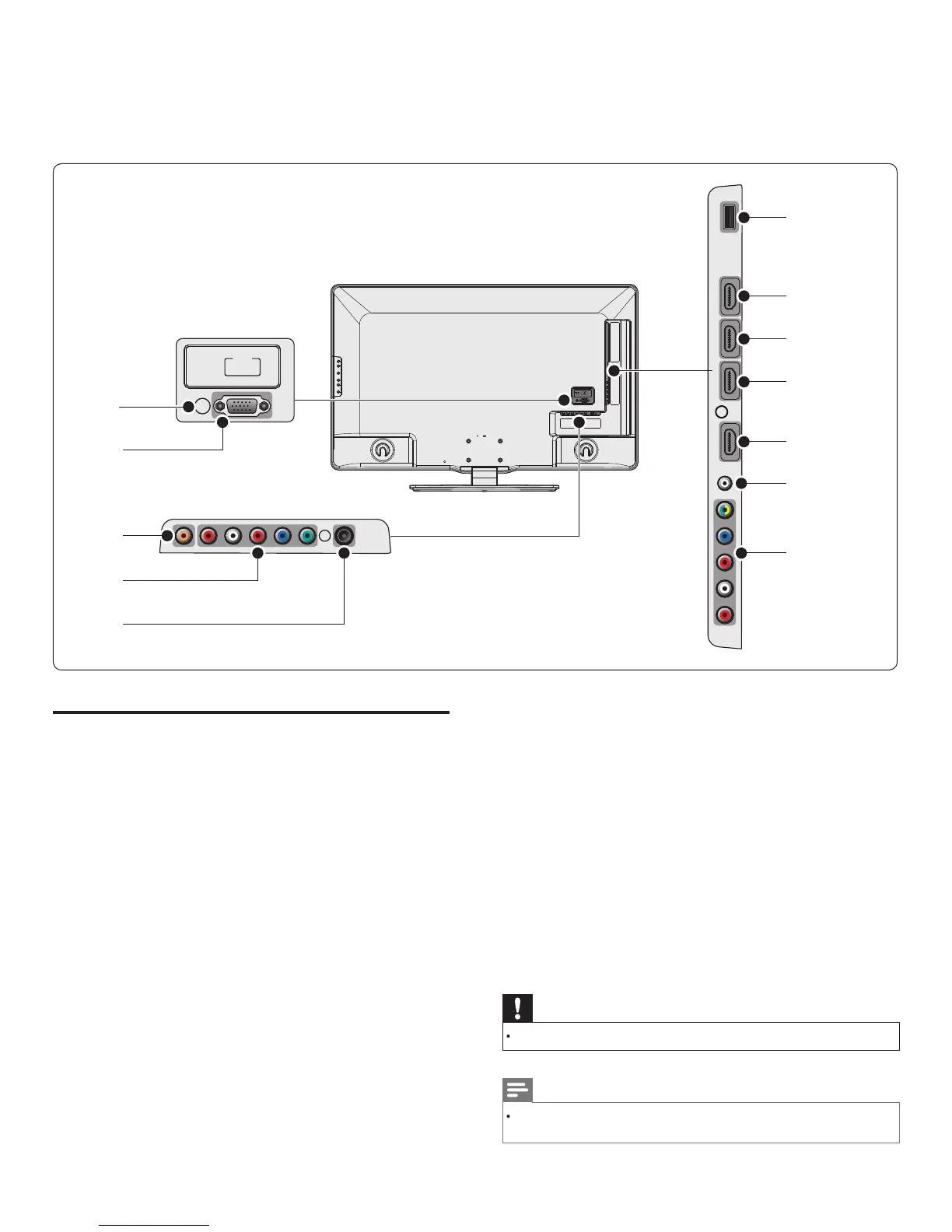
Connection overview
PC input jac
GA cable connection for PC
igita
au
io output jac
g
ta
au
o output to
ome t
eaters an
ot
er
g
ta
au
o
sys
ems
component 1 video and audio input jac
ideo in
ut from analo
devices such as DVD, receiver,
ame
conso
e, etc.
s connector
s use
w
t
au
o
n
ut
antenna input jac
ignal input from an antenna, cable or satellite
USB terminal
Data input from USB storage devices only. Do not connect any
ev
ce to t
s term
na
suc
as;
g
ta
camera,
ey
oar
, mouse, etc
HDMI 4 input jac
Digital audio and video input from high defi nition digital devices
suc
as
u-ray p
ayers
HDMI 3 input jac
r
n connecto
.
HDMI 2 input jac
econd HDMI in connecto
.
HDMI 1 input jac
rst
n connecto
.
audio input jack for HDMI 1 and P
component 2 video / composite video and audio input jac
ideo input from analog devices such as DVD, receiver, game
conso
e, etc.
s connector
s use
w
t
au
o
nput
service onl
or use
y serv
ce personne
on
y
Caution
Disconnect the AC power cord before connecting devices
Note
Different t
es of connectors ma
be used to connect a device to
our TV, de
endin
on ava
a
t
an
our nee
s
EN











 To Next Page