13
English
Watching channels from a set-top box
To watch channels from a set-top box
Switch on the set-top box
he picture from your set-top box might appear automatically
n t
e
screen
Use the remote control of
our set-to
box to select channels
If the picture does not appear
ress SOURC
repeate
y to se
ect t
e set-top
ox an
wa
t a
few seconds for the picture to appea
.
2 Use the remote control of your set-top box to select channels
Watching connected devices
o watc
connecte
evice
Switch on the connected device
he picture from your connected device might appea
automat
ca
y on t
e
screen
2 Use the remote control of the device to select channels
If the picture does not appear
ress SOURC
re
eate
to se
ect t
e connecte
ev
ce an
wa
t
a few seconds for the
icture to a
ear.
2 Use the remote control of the device to select channels
Watching a Blu-ray Disc
o watc
a
u-ray
isc
nsert a
u-ray
sc
nto your p
aye
.
2
ress
(play) on the remote control of the Blu-ray Disc player to
se
ect c
anne
s
e
u-ray
sc m
g
t automat
ca
y p
ay on t
e
If the picture does not appear
ress SOURC
repeate
y to se
ect t
e
u-ray
sc p
ayer an
ait a few seconds for the picture to appea
.
Use the remote control of the Blu-ra
Disc
la
er to
la
the disc
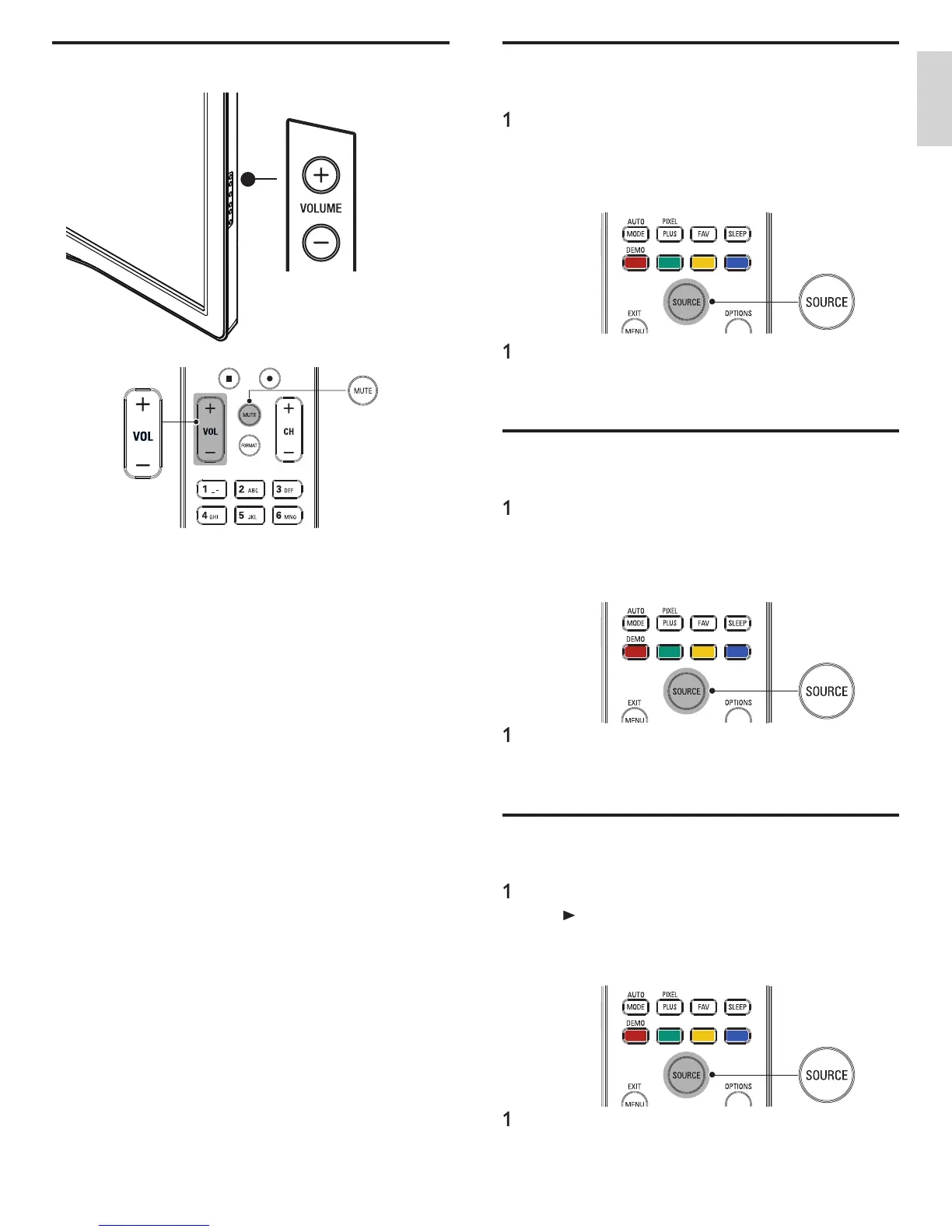
Adjusting volume
o increase or
ecrease vo
ume
ress VOL + / − on t
e remote contro
or press
OLUME + / − on
he side of the TV
o mute or unmute soun
ress
on t
e remote contro
to mute t
e soun
ress
aga
n o
VOL + / − to recover t
e or
g
na
soun
EN











 To Next Page